Demo 260119
-
Contact Timeline
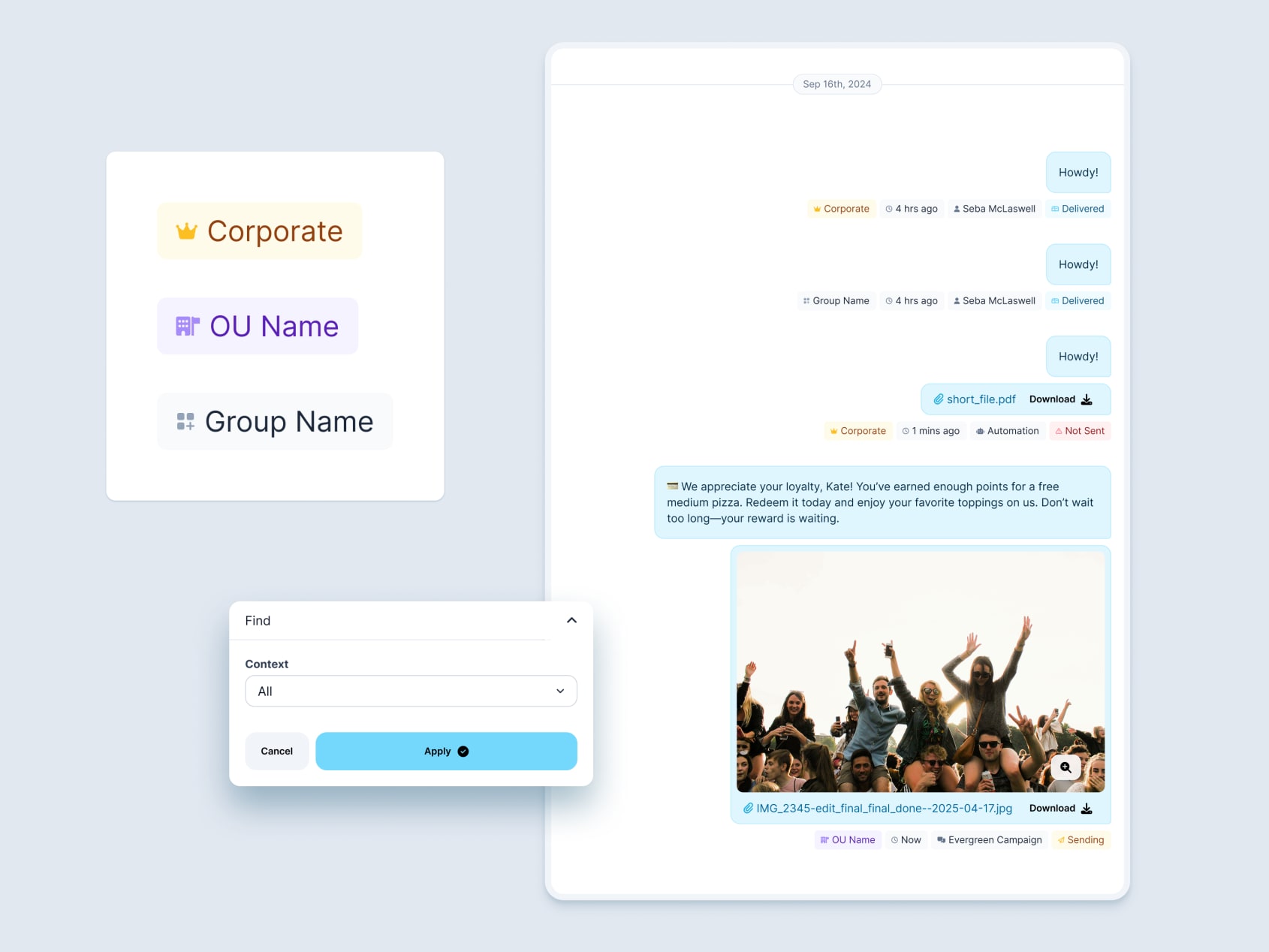
Contacts page is getting an aggregated message timeline that can show all franchise-level messages no matter the context. In order to make this work we need to display the origin of each message. These badge types bring the design and component from Forecast Dashboard work to these new views.
Workflow Builder Misc
- Unsaved changes modal when switching away from nodes
- Experimenting with fixed top header vs floating
- More prominent active selection states on node options
- Removed unselected node state to simplify interactions and let us drop deselect button
- Emojis converted to icons

Workflow Builder Overview
Design exploration for:
- showing multiple flows at a time on the overview page
- showing published state and version
- left vs center aligned nodes

Workflow Builder Save/Input Planning
- Exploring how to use version history and undo states to handle saving
- Sketching improvements to node option inputs with search, filters, and grouping

Workflow Builder: Drag & Drop
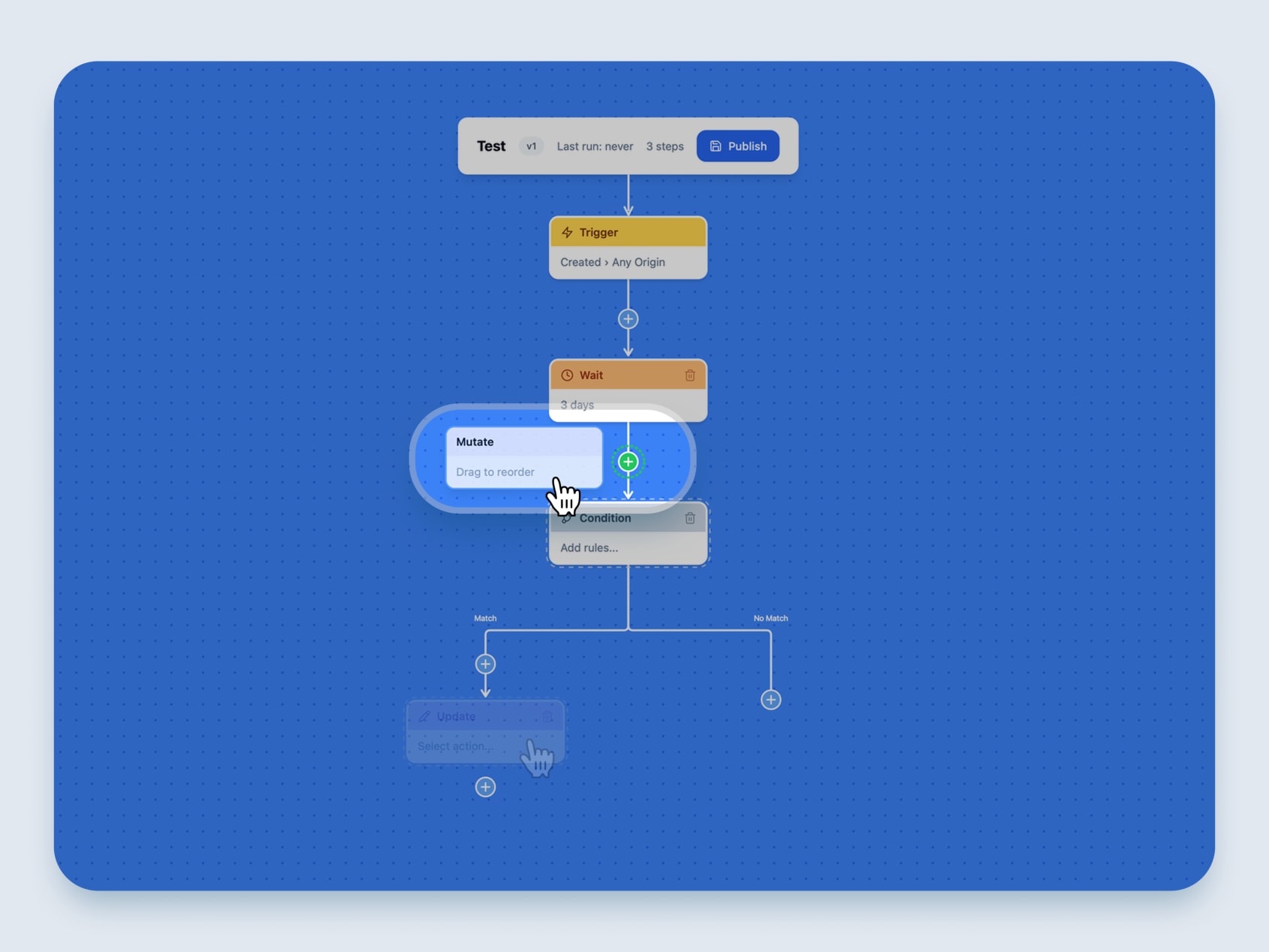
Improved the visual design and interactions for building workflows by using drag-and-drop reordering.
- Full drag-and-drop reordering — Complete system for reordering workflow nodes with zone detection and UX improvements
- Visual polish — Node styling, branch path alignment, white borders, arrow gaps
- Condition builder — Category list and breadcrumb pattern for building conditions
- Canvas improvements — Centering fix for sidebar, minimap/node spacing
- Edit mode — Floating header bar with auto-save drafts
Workflow Builder: Move or Clone
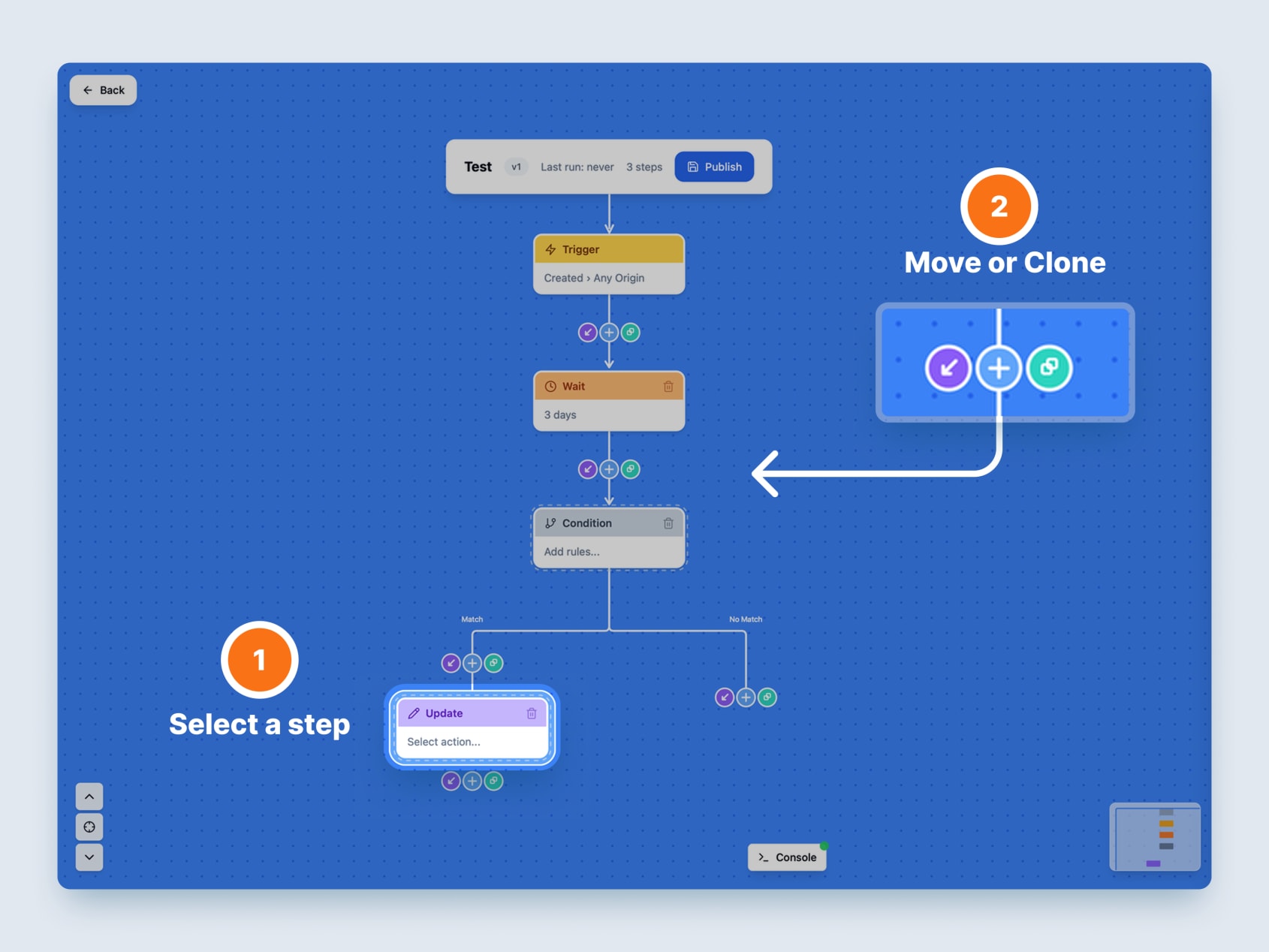
Simplified the app navigation and added flow grouping, search improvements, and a cleaner browse experience. Added clone functionality for quickly duplicating workflow nodes.
- Move/Clone buttons — Direct buttons + click-based alternative to drag for repositioning nodes
- Browse mode — Flow grouping, navigation, and interaction improvements
- Search improvements — Visibility fix and enhanced search functionality
- Navigation simplification — Streamlined nav to just Flows, Contacts, and History; removed Home and Simulator links; redirected root path to /flows
- Flow creation — Name modal when creating new flows, inline vertical sections solve the unnamed flows we saw in 90% of the user tests.
Workflow Builder: Simulator
Built a new simulation engine with time acceleration, persistent state across page refreshes, and a console panel for debugging and database management. This prepares the way to test more realistic flows.
- Time acceleration — 1x/60x/3600x speed options for testing long-running workflows
- Configurable batches — Adjustable batch sizes with automatic event processing
- Simulator config — Customizable contact attributes and event payloads
- Console drawer — Simulator/Database tabs with table counts, individual clear buttons, and “Clear All Data”
- Inline controls — Batch | Speed | Start/Stop with play/stop icons
- Persistent state — Simulator state survives page refreshes and navigation; workflows continue from where you left off
- Wait step improvements — Uses accelerated simulator time with accurate completion counts
