Demo 260216
-
Flow Priority System
Added a flow priority and conflict resolution system so that when multiple flows compete to act on the same contact, the higher-priority flow wins. Allows for drag-and-drop ordering of flows per flow type.
- Priority & conflict resolution — flows are ranked, and conflicts between competing flows are resolved automatically
- send_anyways priority fix — corrected the logic so send_anyways properly overrides priority rules when intended
- Priority page styling — cleaned up the priority management page UI
FYI, this concept was abandoned for now, as it adds unnecessary complexity.
Prototype

Logic Nodes
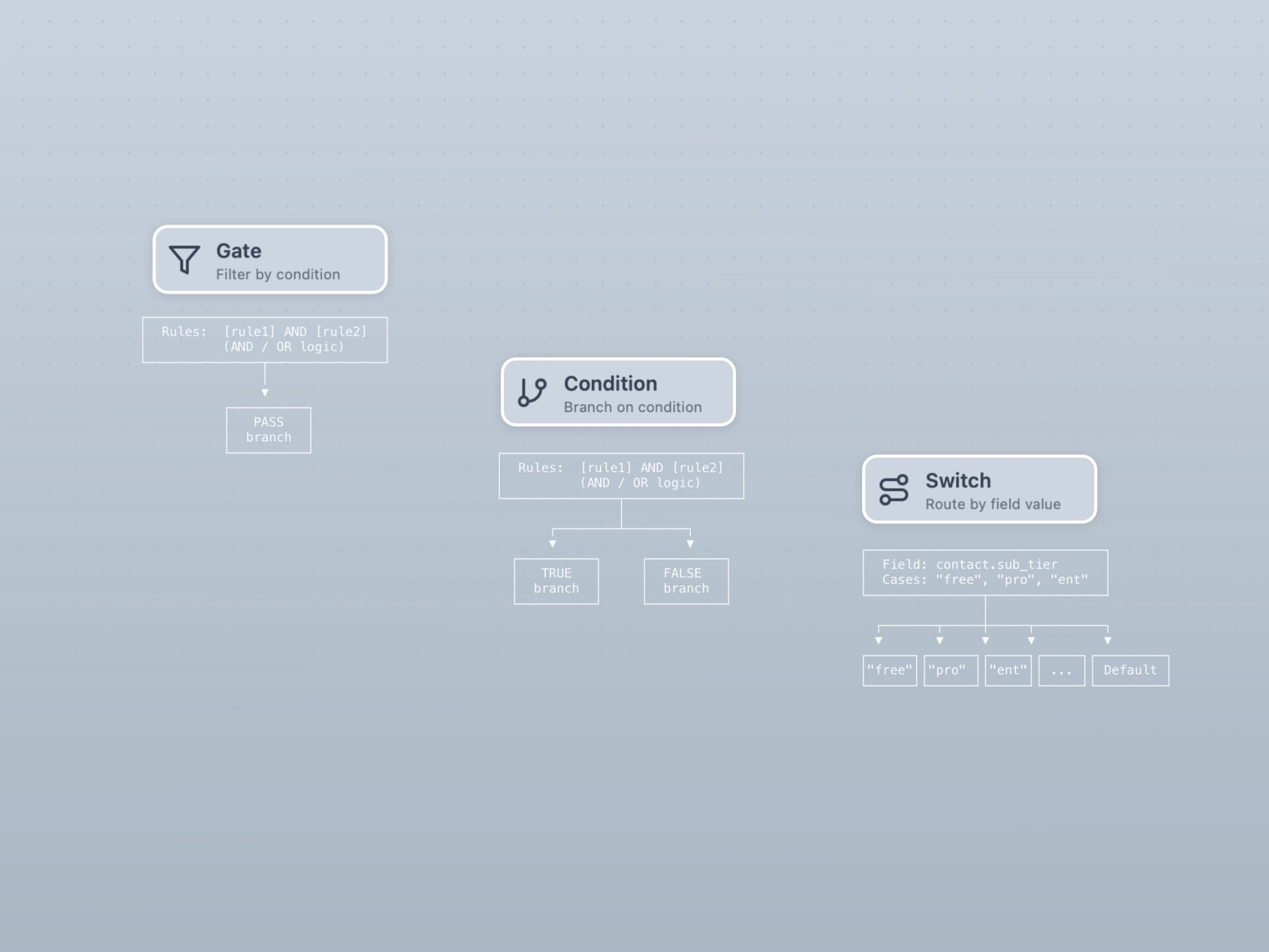
Refactored condition handling into three distinct node types instead of a single node with a condition_mode toggle. This solves the path management problem that occurred when switching modes on an existing node.
- Gate — single path, pass/fail
- Condition — two paths (if/else)
- Switch — many paths matching a value based on a list of types
- Refactored into distinct types — replacing the old condition_mode approach eliminates issues with paths being lost or misrouted when changing modes
- Switch branch layout — fixed spacing and swap button positioning
Prototype
Node Updates
A batch of new and updated node types across the workflow builder.
- Compliance node — new node that updates sub status and then messages contact
- Wait-and-send node — combines a delay with a message send
- Ask node — optional retry, expected response type formatting, and context-aware reply
- Safe sending on messages — guardrails for message send times
- Audience type on messages — specify the audience type directly on message nodes
Prototype

Flow Management
Flow-level management features for organizing and maintaining workflows.
- Custom attributes — name, value, and name+value attribute types on flows
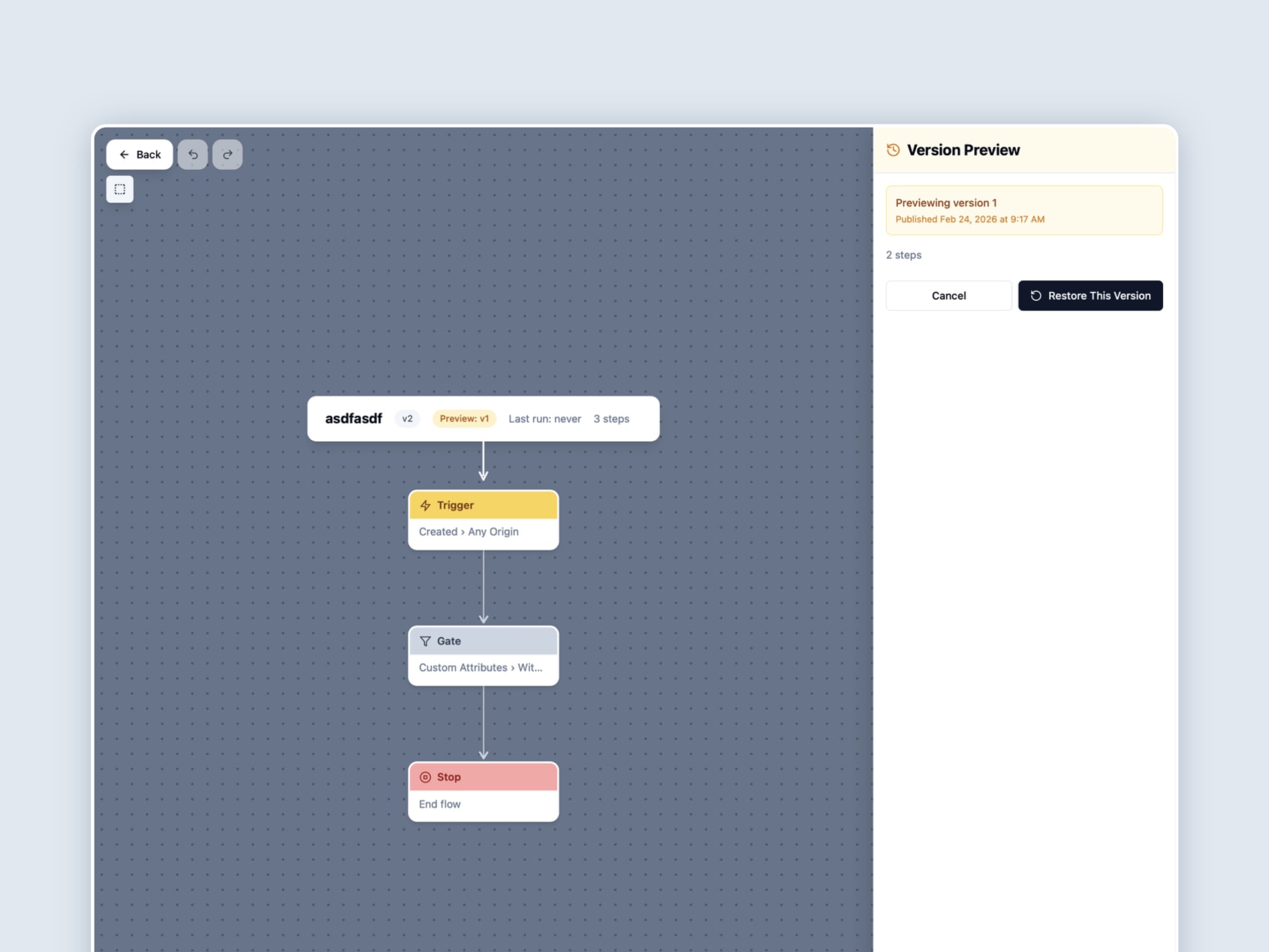
- Flow history restoration — restore a flow to a previous version from its history
- Flow soft deletes — delete flows without permanently removing them
- Updated flow view — refreshed the flow list/detail view with drawer refinements
Prototype
Sample Flows & Documentation
Documentation and sample content to make the prototype easier to understand and more robust.
- LLM-friendly flow documentation — structured docs that LLMs can parse for generating and understanding flows
- Sample Customer flows — real-world-style sample flows for demo purposes
- Defensive imports — protects against errors when shared nodes are missing or misconfigured
Prototype

AI Design Guide
We’re building a Voxie design guide for AI that should allow us to quickly apply the Voxie style to wireframe prototypes. Progress is still ongoing but promising.
Three documents have been created so far:
- Design Guide — brand principles, philosophy, and qualitative guidance
- UI Spec — Technical implementation spec for the Voxie design system
- App Usage Audit — real-world patterns, frequencies, and deviations

Design MCPs
Tested design MCPs so we can use AI to get two-way translation between design and code.
Paper
Paper The best option for code to design. Produced very accurate results. Fell short on complex CSS like 3D transforms. No local files or export.
Pencil
Pencil did a nice job, but not as good as Paper. Can’t pull in remote image assets. Couldn’t handle 3D CSS transforms at all. Has local file support; recommends storing design files in Git alongside code files. Has Figma import but didn’t work that great.
Figma
Tested several Figma MCPs. None are 100% there because Figma uses a custom renderer that doesn’t use actual HTML or CSS. This causes design details to get lost in translation.
-
Figma CLI MCP - best, no complicated setup or API key required
-
Figma Console MCP - seems to be the same as above but requires complicated setup. Comes with design helpers that I don’t use but might be worth exploring more.
-
Figma MCP via Browser MCP - requires a browser MCP to work. Haven’t tried it.
-
Figma Official MCP - don’t use. It’s super limited. Confusing. Has multiple connection types with different features.
