Demo 260302
-
Cleanup
- Consolidated duplicated types, constants, and patterns into shared modules
- Broke apart the two largest files into smaller, focused modules
- Split the monolithic step execution switch into 10 individual handler files
- Extracted reusable UI component for CategoryBrowser
- Extracted canvas pan/zoom logic out of FlowsPage into its own hook
- Fixed a bug where inserting, moving, or cloning steps mid-flow didn’t properly wire up connections (steps got orphaned)
Play with the updates here:
https://proto-workflow-builder-mk1-git-bs-cleanup-260303-voxie.vercel.app/flows
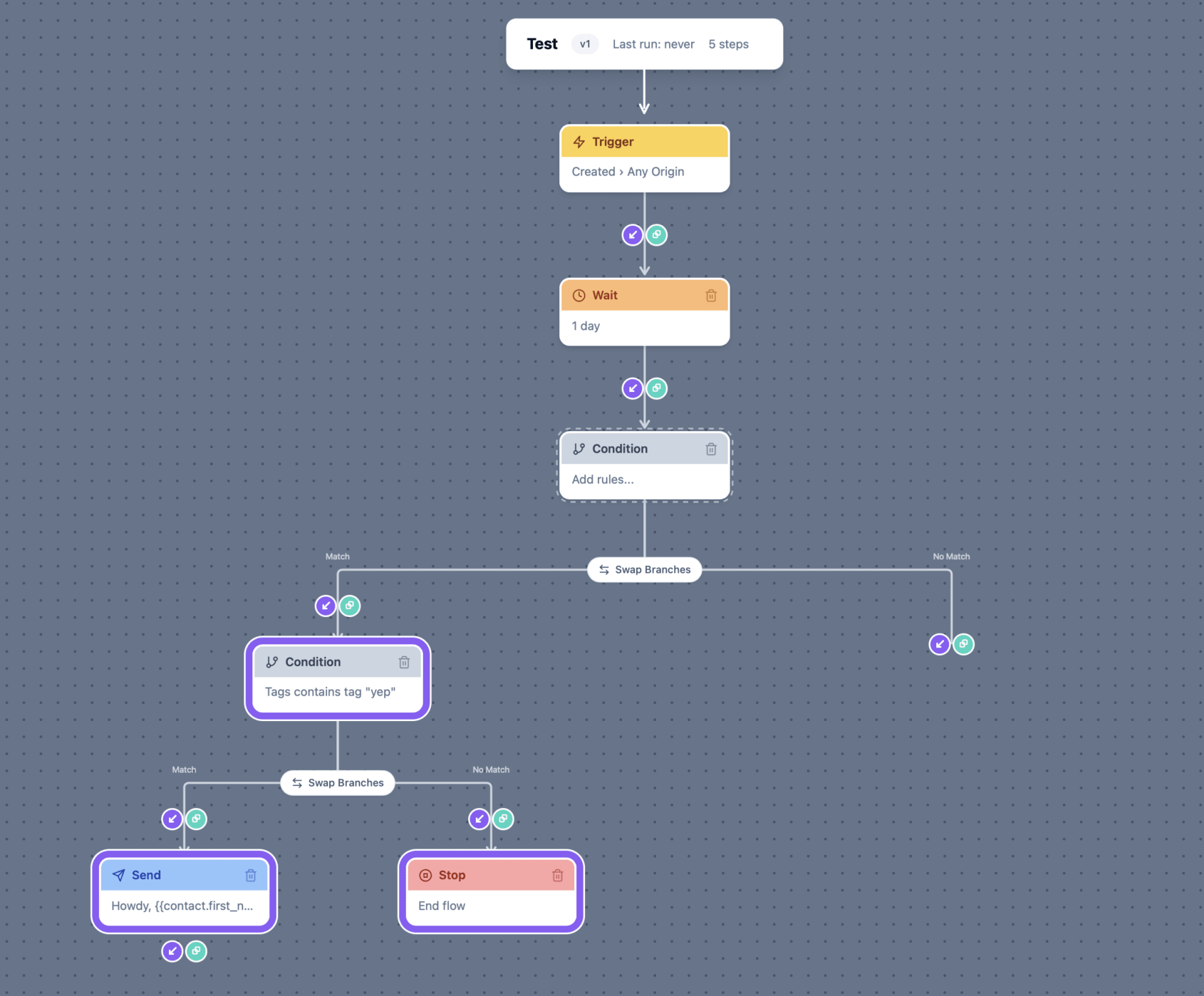
Concurrency Model: Policy Lanes & Exclusion Groups
- Researched concurrency model for workflow execution
- Implemented policy lanes and exclusion groups to manage concurrency and exclusivity between flows

AI Design Guide
More testing on the AI Design Guide:
- had Claude to another learning pass on the voxie repo alone then reintegrated output with the other design docs
- clean pass looking for things to improve
- added shadcn, frontend components, and vanilla components then tested styling shadcn with library guide. It worked but the results weren’t great.
- took guide into workflow builder and tested. Again, not great. Didn’t look much different
Will revisit in a few weeks to see if things have improved.

Send to Flow
- Added send-to-flow node — allows a workflow to hand off a contact to a completely separate flow mid-execution
- Defensive deletes
- Triggers and links on flow details drawer
- Enables modular workflow design: common sequences (e.g. opt-in confirmation, winback) can live in their own flow and be called from many others instead of being duplicated everywhere
- Keeps individual flows small and focused rather than growing into monolithic chains that are hard to reason about
- Opens the door for team collaboration — different people can own different flows and compose them together without stepping on each other
Play with the updates here:
https://proto-workflow-builder-mk1-git-bs-node-to-flow-voxie.vercel.app/flows

Wait Node Date Anchor
- Extended wait node to allow date anchor to metadata
Play with the updates here:
https://proto-workflow-builder-mk1-git-bs-node-to-flow-voxie.vercel.app/flows
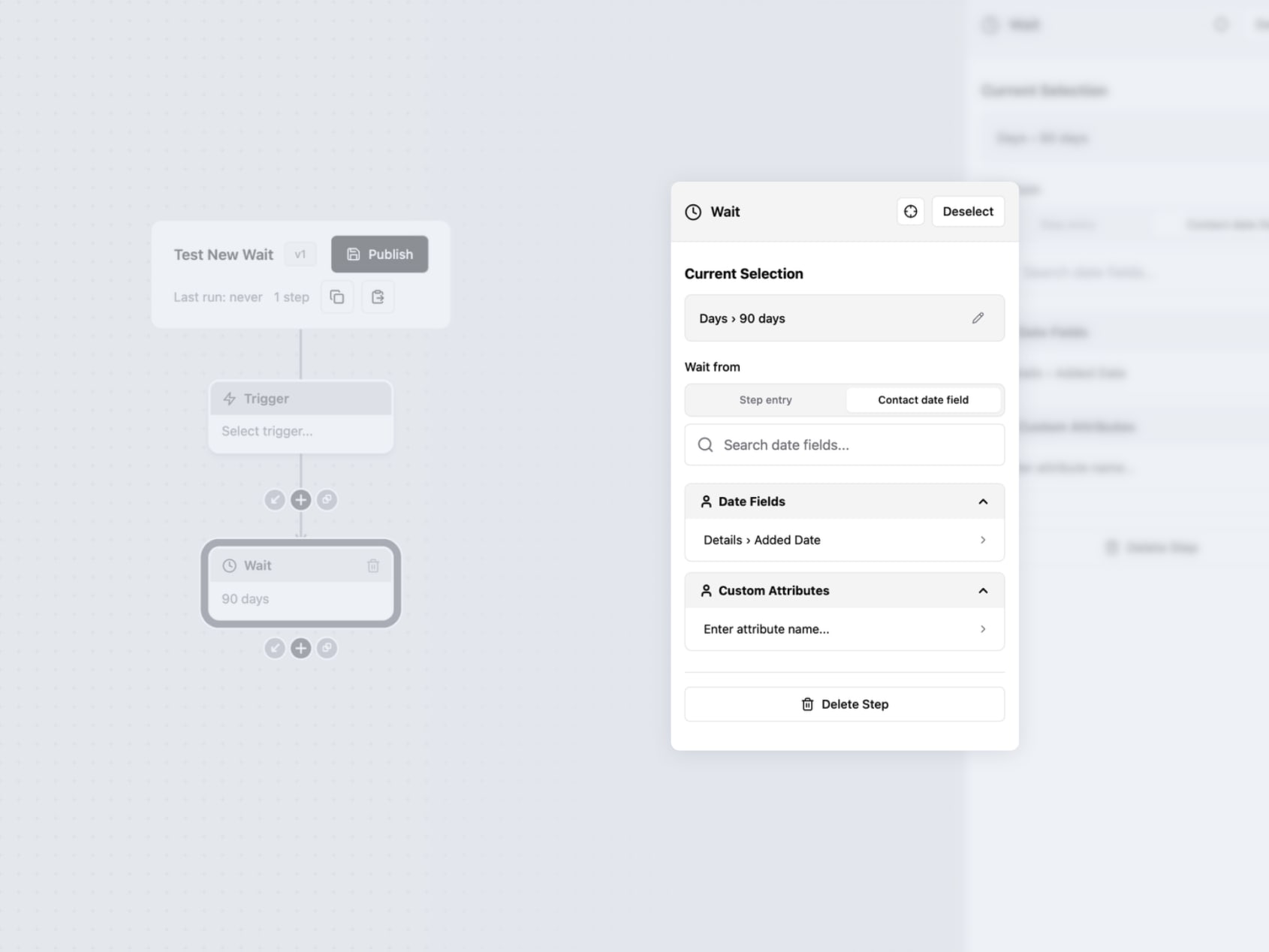
Voxie Style
Worked on bringing the Voxie UI style into the workflow builder prototype. Used standard Voxie buttons, inputs, badges, modals, and other patterns.

Canvas Zoom & Layout Engine
Canvas
- Zoom levels on canvas
- New layout engine for canvas
- Cascading delete for branching nodes with a confirmation dialog
Nodes
- API call node improvements — realistic config fields, textarea support, new step type
- New triggers — segment/external list triggers, enrollment prompt
- Date operator UX — replaced preset button grid with a flat 34-operator dropdown
- Send-to-flow enhancements — trigger context mismatch warning, engine guard, state field support
Play with the updates here:
https://proto-workflow-builder-mk1-git-bs-node-to-flow-voxie.vercel.app/flows

Sample Workflows
- Add Sample customer workflows
Play with the updates here (you can test these flows with the import button):
https://proto-workflow-builder-mk1-git-bs-node-to-flow-voxie.vercel.app/flows

Design MCPs
Further testing with design MCPs had mixed results.
I was able to get Paper to perfectly recreate the old marketing site hero which was impressive because it had complex 3d transforms.
I had the Figma MCP try and re-create the workflow builder in Figma and failed miserably.
Paper is definitely the winner on this new code to design workflow but still missing so much.
Will revisit in a few weeks.
