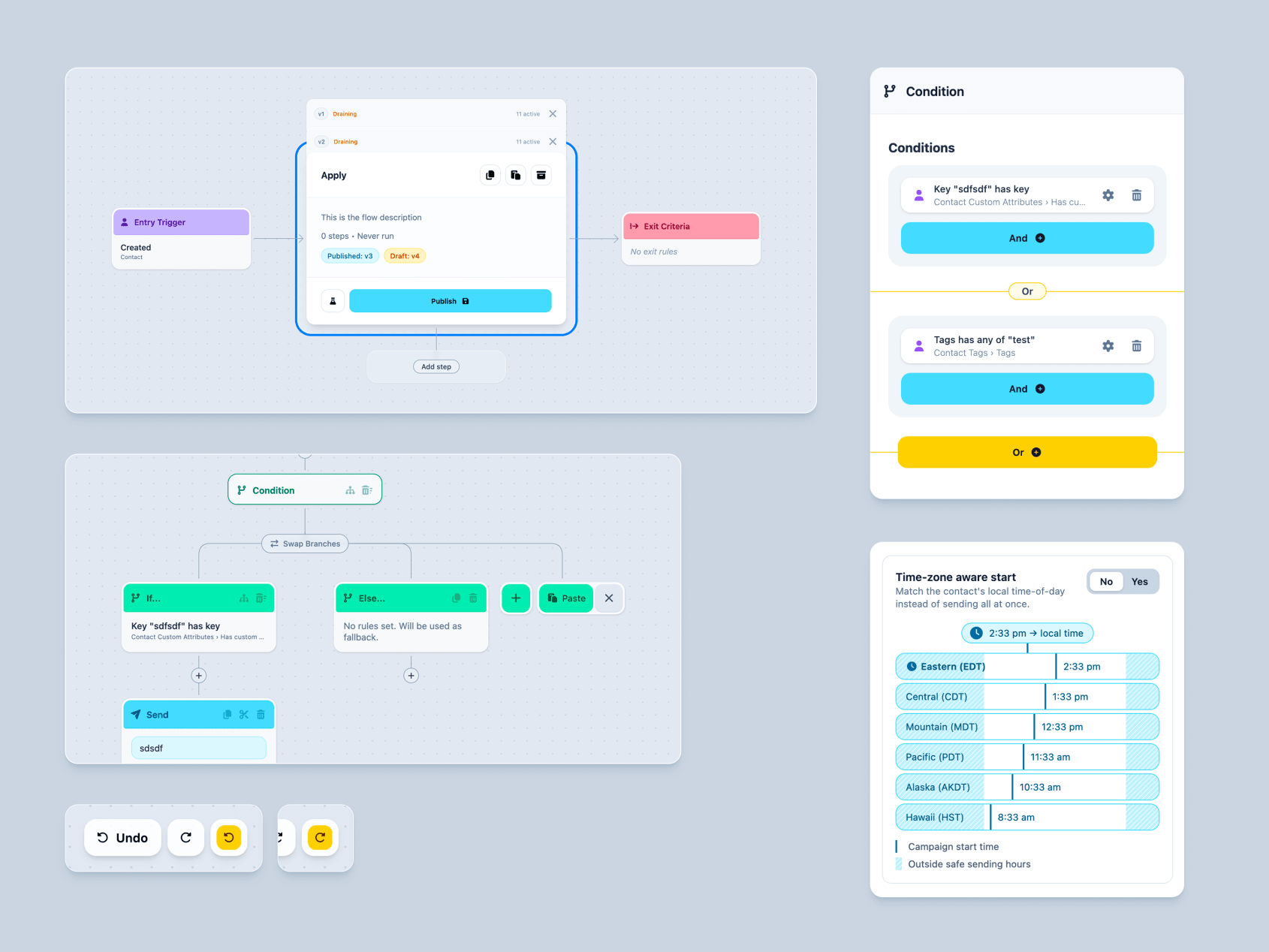
Demo 260427
-
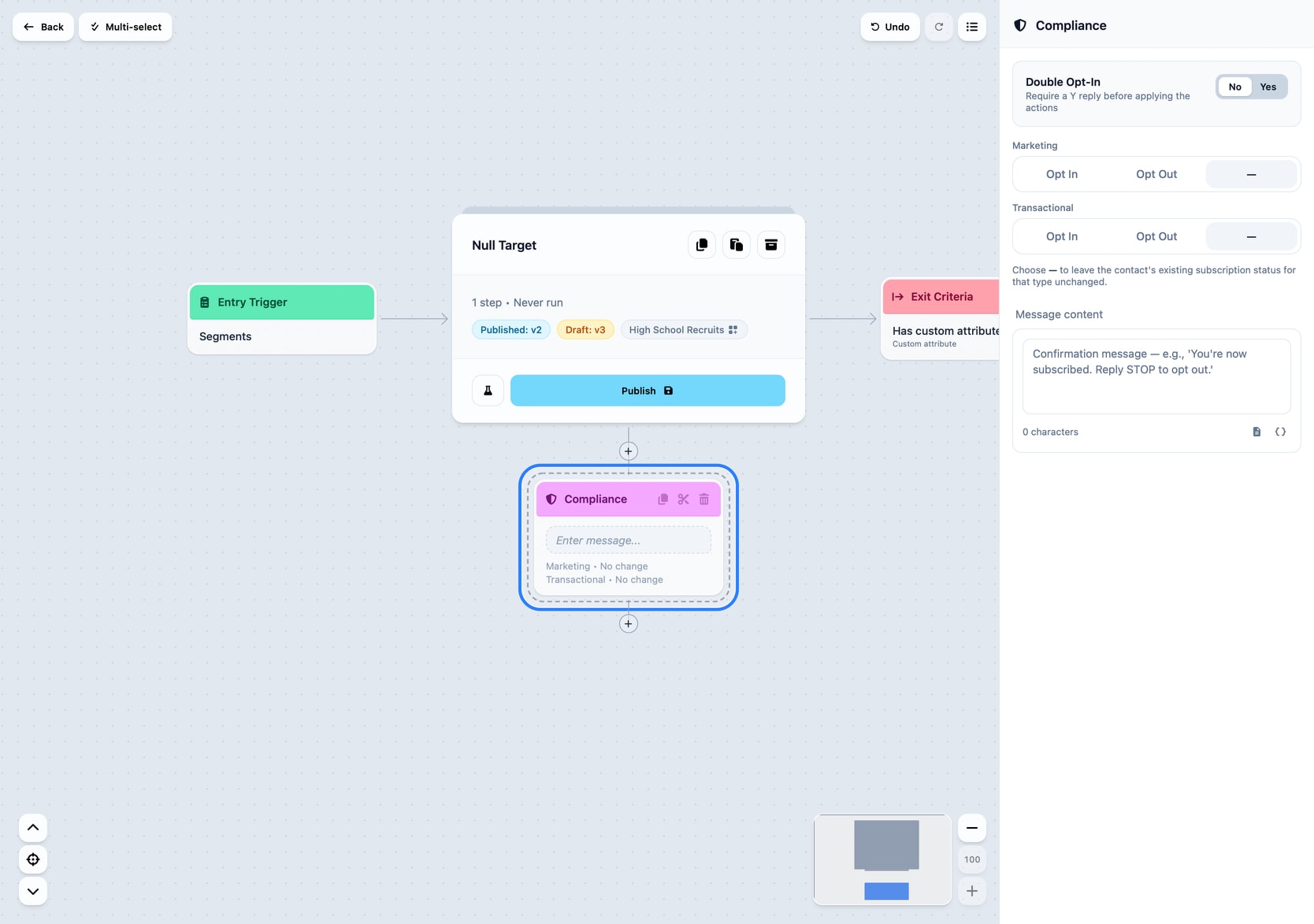
Compliance Node
This node allows for:
- setting subscription status
- double-opt in
- compliance message content and type
Update node no longer allows setting setting Subscription Status directly as that opens the door to incorrect message types being sent after adjusting that status.
Customer Flow Examples
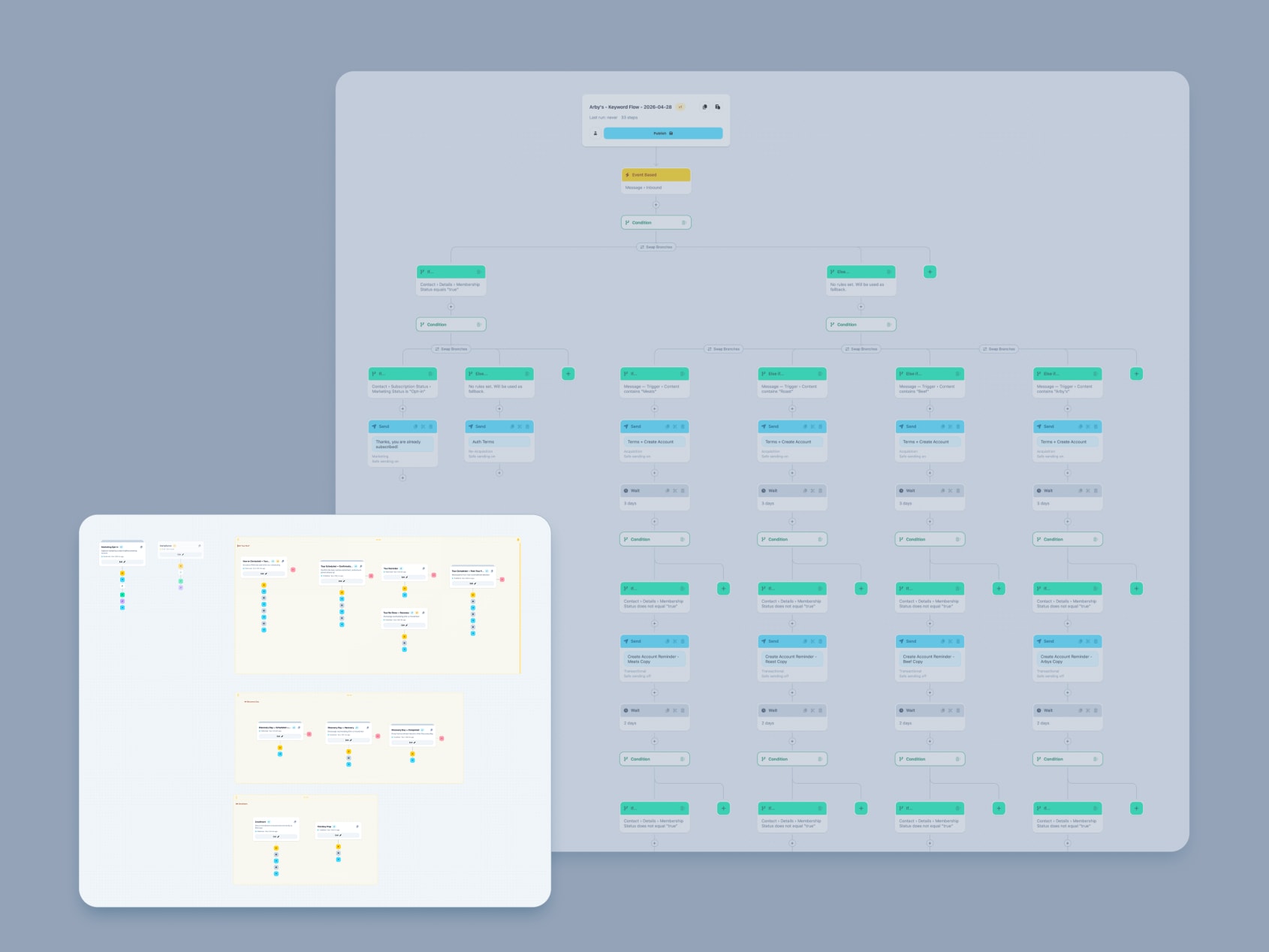
Tested 5 real customer setups to look for edge cases and unhandled flows.
All scenarios tested were possible and flows were able to be copy and pasted between prototype sessions.
Some setups were not ideal (required duplicating flows to handle multiple trigger events). However it is important to remember that to build these flows today you must have extreme institutional knowledge, use a 3rd party whiteboarding tool, and manage dozens of separate resources in Voxie.
The prototype is extremely flexible in allowing complex flows to be built in a single view.
Re-entry
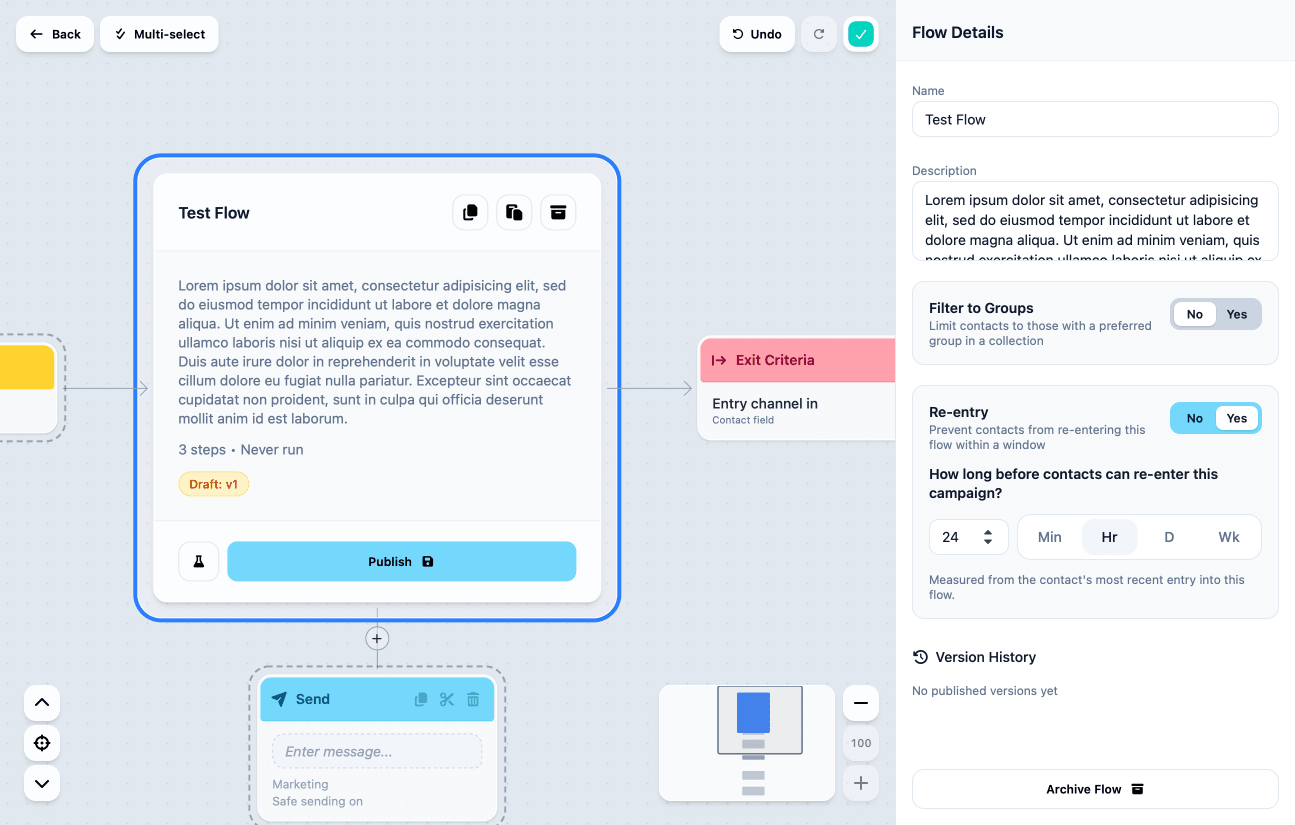
This mirrors our current Campaign options. This allows a user to configure a flow to allow or deny re-entry and if re-entry is allowed, how often a contact can re-enter.
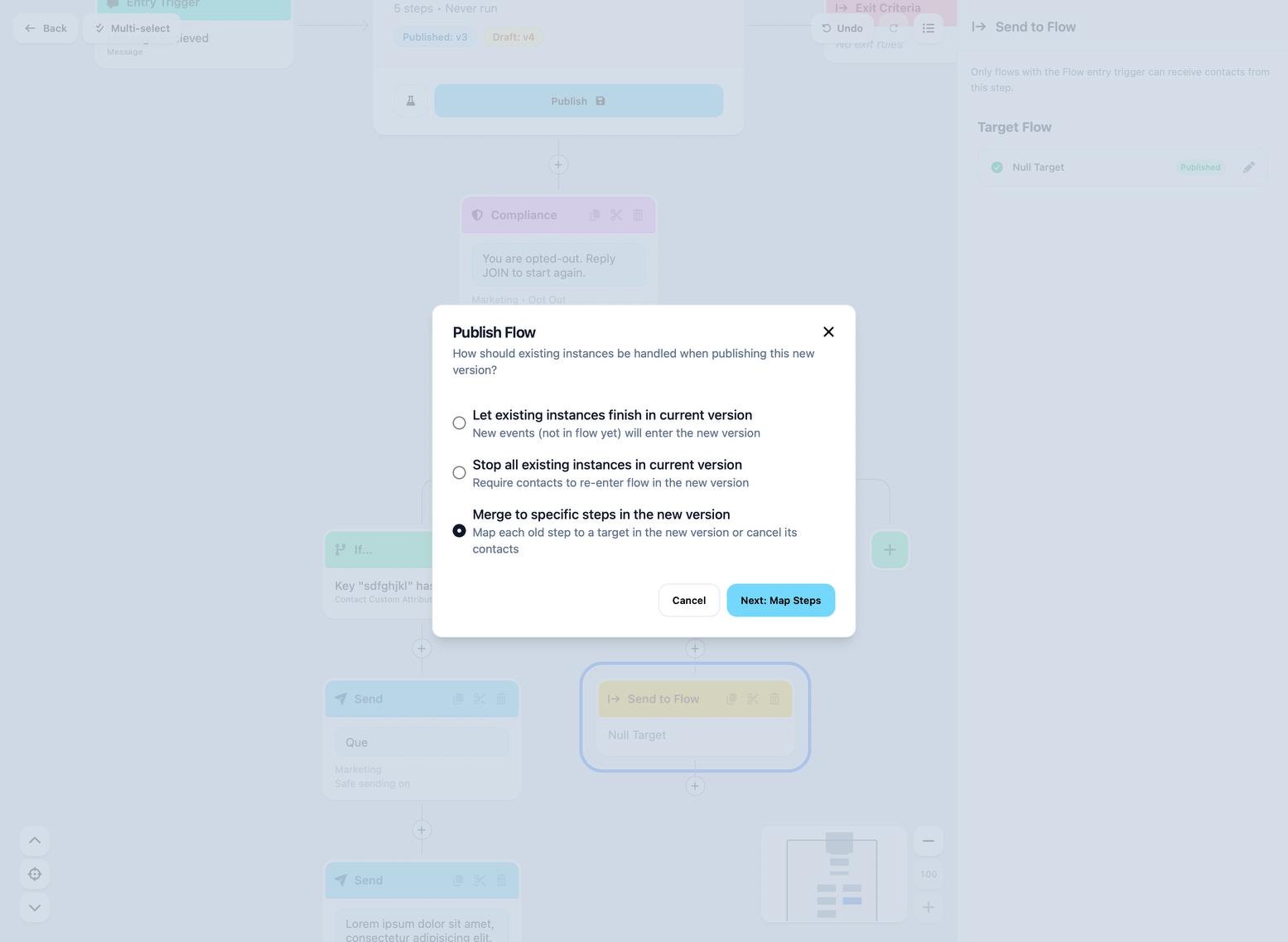
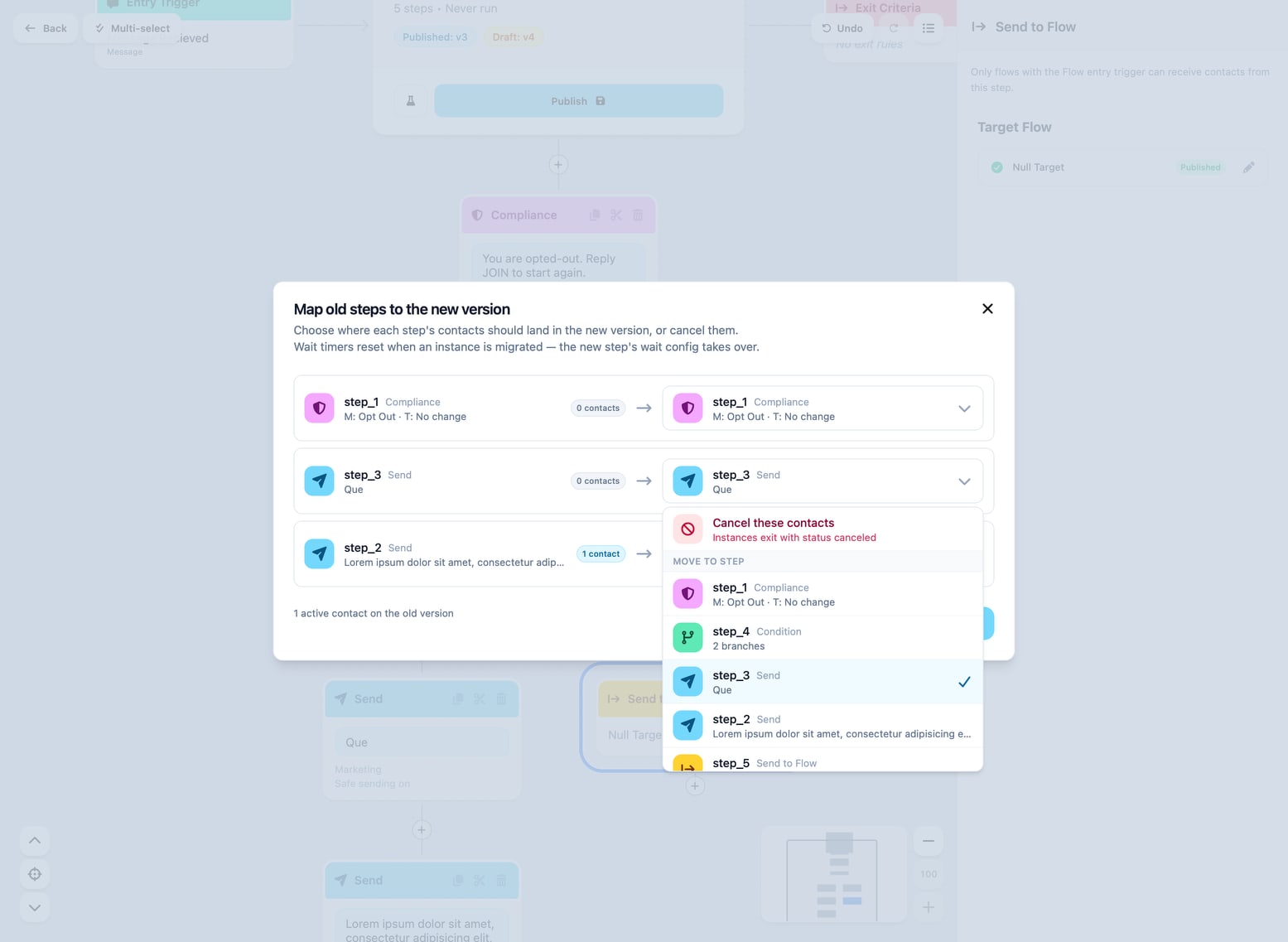
Version Merge
There is a issue where updating a flow can cause an issue.
In the situation where a flow is live with 10,000+ contacts are moving through it.
A quick fix of a typo in a Send node or logic needs tuned in a Condition node to fix a problem.
I foresee an issue where no one is willing to publish these changes because our current options are to kick everyone out, forcing them to start over or let them continue in the old flow.
If the issue is fixing a broken link on a 30 day drip flow this leaves no good path forward.
This new option lets the user map old nodes to new nodes. This gives you full control over where to place contacts if they are mid flow.
Misc. Workflow Builder Updates
- add copy button to condition node
- added support for and/or
- fixed drag gesture selecting and deselecting node
- Rename ‘Custom Fields’ to ‘Custom Attribute’
- Add time zone aware
- make condition rule details visible in sidebar and node
- improve condition rule layout. Moves rule to header, type to subtext
- add enter/exit nodes to left/right of overview
- Add data type input and date comparison to condition rules
- add filter to groups
- design fine tune on overview cards
- copy paste if block
- only allow drag when selected
- fix blur bug on mini flow hero card
- add middle mouse drag
- comment
- hover states
- change z-index on draw and drag
- fixed z index on mini trigger
- move wait config from modal to sidebar
- fix exit criteria bug that wouldn’t let you publish
- design/style number inputs
- undo
- fix sidebar disappearing
- fix mismatched states
- fix picker undo requiring two undo clicks
- add notification animations
- make radio boxes match voxie style
- make message container padding match other stuff