Demo 260803
-
Pie Menu Update
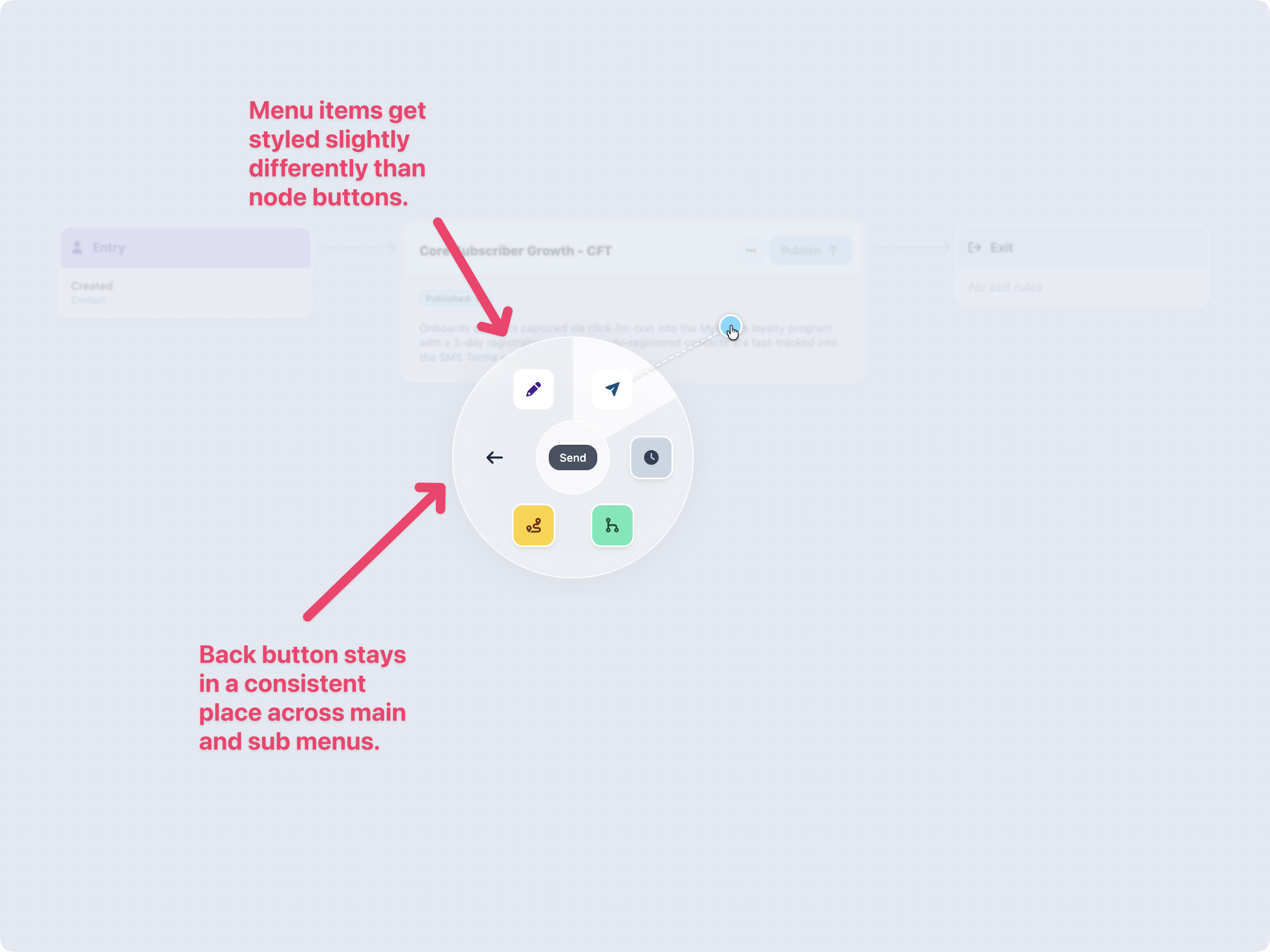
Before this update, there was no way to tell a sub-menu item from a insert node button in the pie menu. To fix this, we removed the background color for menu items.
We’ve also combined the back and close button into one consistent action and location.
Dashboard
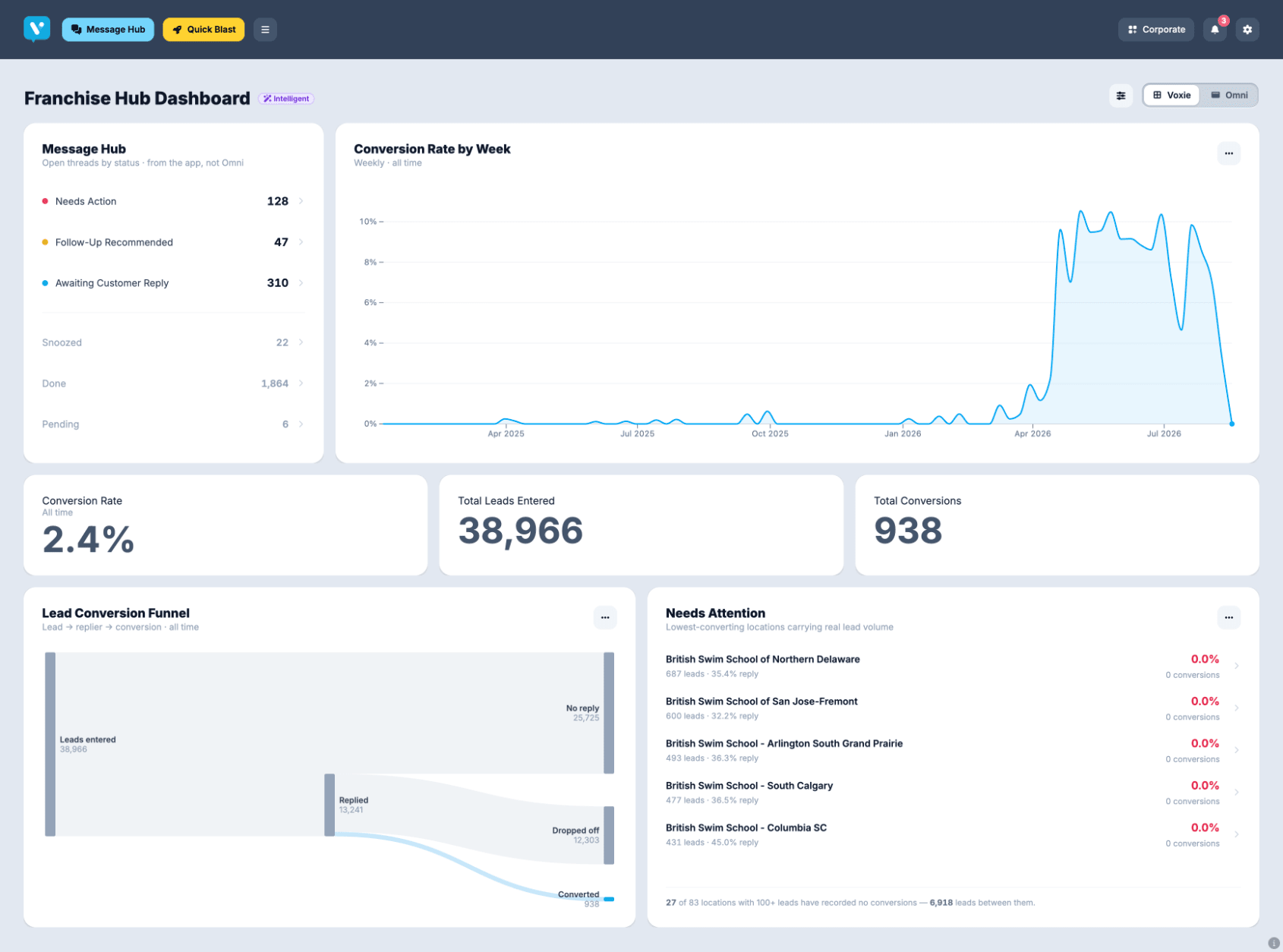
Draft for new dashboard page for app.voxie.com.
Goal is to give corporate customers a dashboard into their franchise.
This demo pulls data from omni dashboards and uses Voxie interface components to render that data. This gives full control over how data is shown, allowing us to fix shortcomings of Omni interface, match Voxie brand, and extend charts with more features.
This allows us to have Voxie side interface (like message hub, campaign analytics), mixed in with omni backed data.
This method allow data team to retain control of queries and data, but returns control of the interface to the UI and Engineering teams.
One new ability is for the end user to have the ability to reorder, resize, and toggle visibility of a given chart.
This will be more sustainable in the long run allowing each team to own and control the work they are best suited to do in the workflows that provide them the most control.
Design System Updates
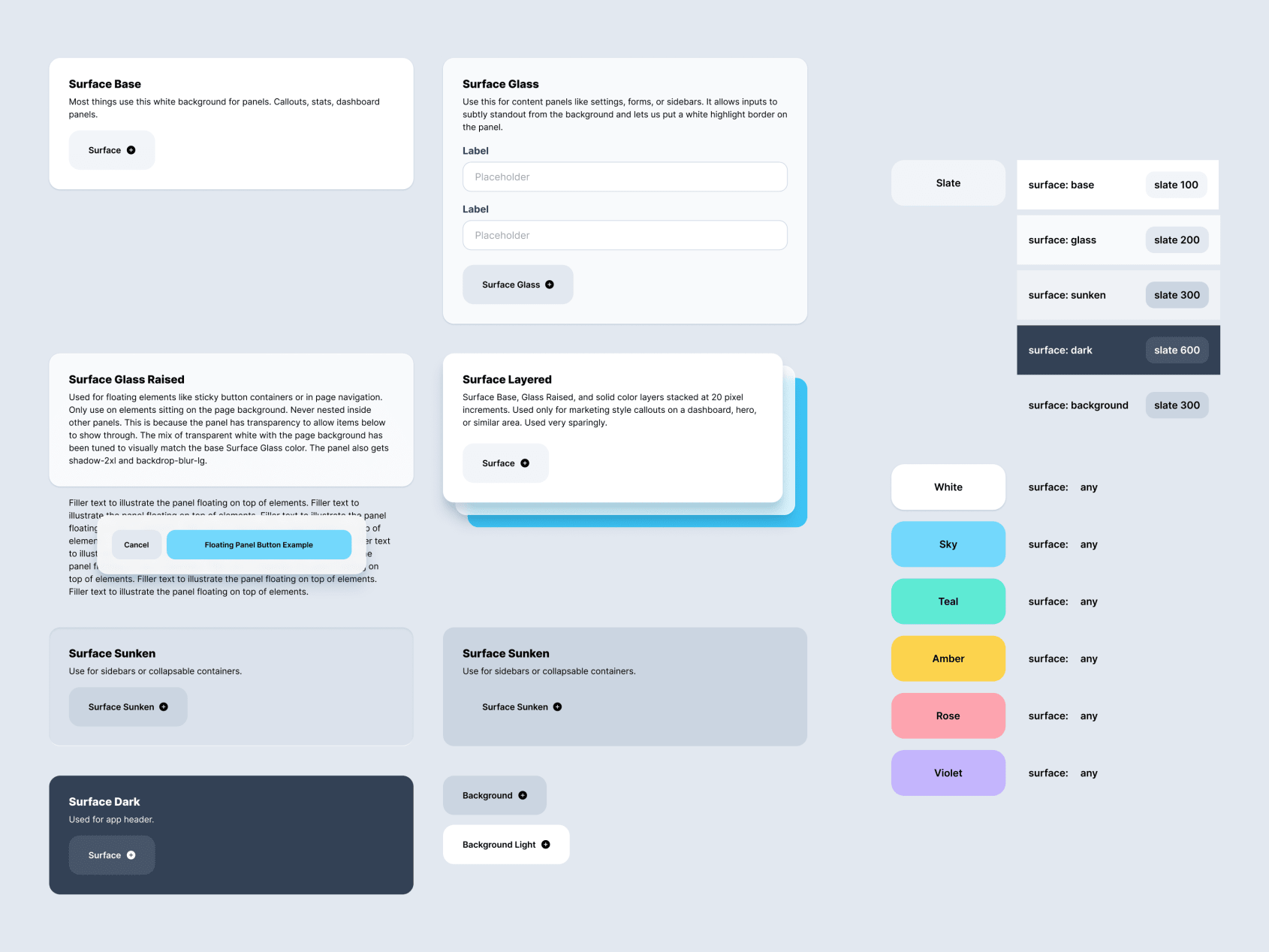
We’ve started a process to improve AI adherence to our design system so prompting designs produce higher quality output. As a part of that work, we realized our design system relied on a lot of rules that only existed in the design team’s heads. To fix this, we’ve been going through all the product work we’ve done over the years, finding patterns and solidifying them into our components and documentation. So far, we’ve captured commonly used surfaces like cards, glass, and backgrounds and then codified how buttons and color palettes fit into them. More to come.