Workflow Builder Test Mode
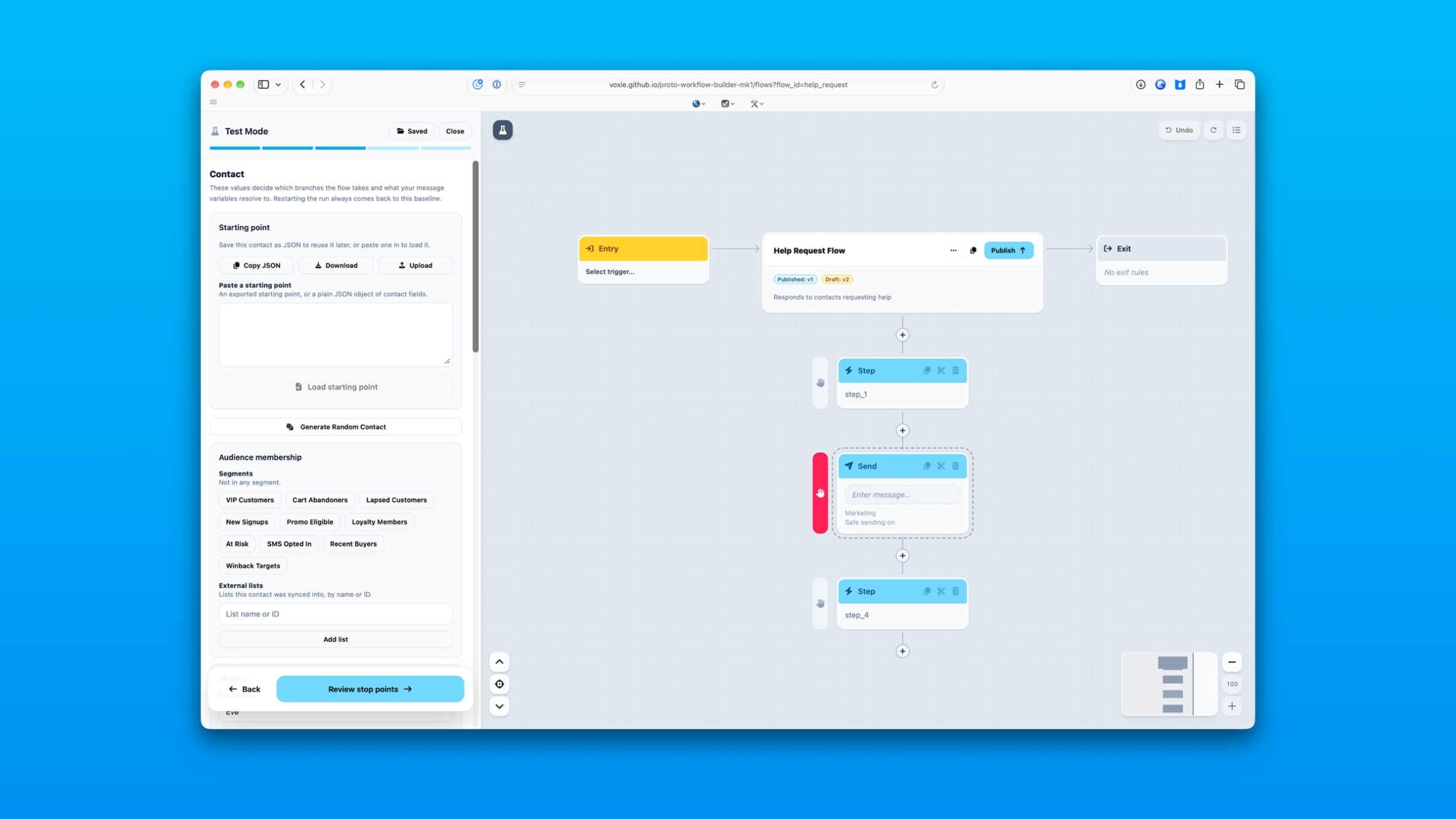
Test Mode is how someone checks that a workflow does what they intended before real customers go through it. It was rebuilt this sprint.
Setting up a test is now a guided path
Testing used to be one dense panel. It is now three steps: set up the test, run it, read the results. Each step asks for one thing at a time, so someone testing a workflow for the first time doesn’t have to know which fields matter.
Stop points
You can now pause a run at any step you choose and change the test contact before continuing. Put them in a segment, take them off a list, adjust their details, then let the run carry on.
This answers the question people actually have, which is not “does this workflow run” but “what happens to someone like this at this point”. Previously you had to build a new contact and start over for every variation.
Saved test setups
A test setup can be named and saved against the workflow it belongs to. Coming back a week later, or handing the workflow to someone else, no longer means rebuilding the test from scratch.
The run tells the truth
If a step can’t execute, the run now ends there and says so. Before, a run could appear to continue past a step that never actually happened, which made a broken workflow look like a working one. Results now only show messages that were genuinely sent.