Kiosk Integrations
Summary
Working towards two prototypes to give use options:
- Developer focused interface
- Mon-traditional interface for non-developers
1. Refine
This easiest method forward is to mimic developer related tooling, this preserves control for many edge case scenarios. The tradeoff being that you need lots of context and skill to not cause a mess.
This can be helped by re-using many of the components and concepts already established if Voxie.
This method is the safe bet, only in that developer tools are well known and well documented. The issue being that you need a solid understanding of syntax, and developer concepts in order to use this.
Before:
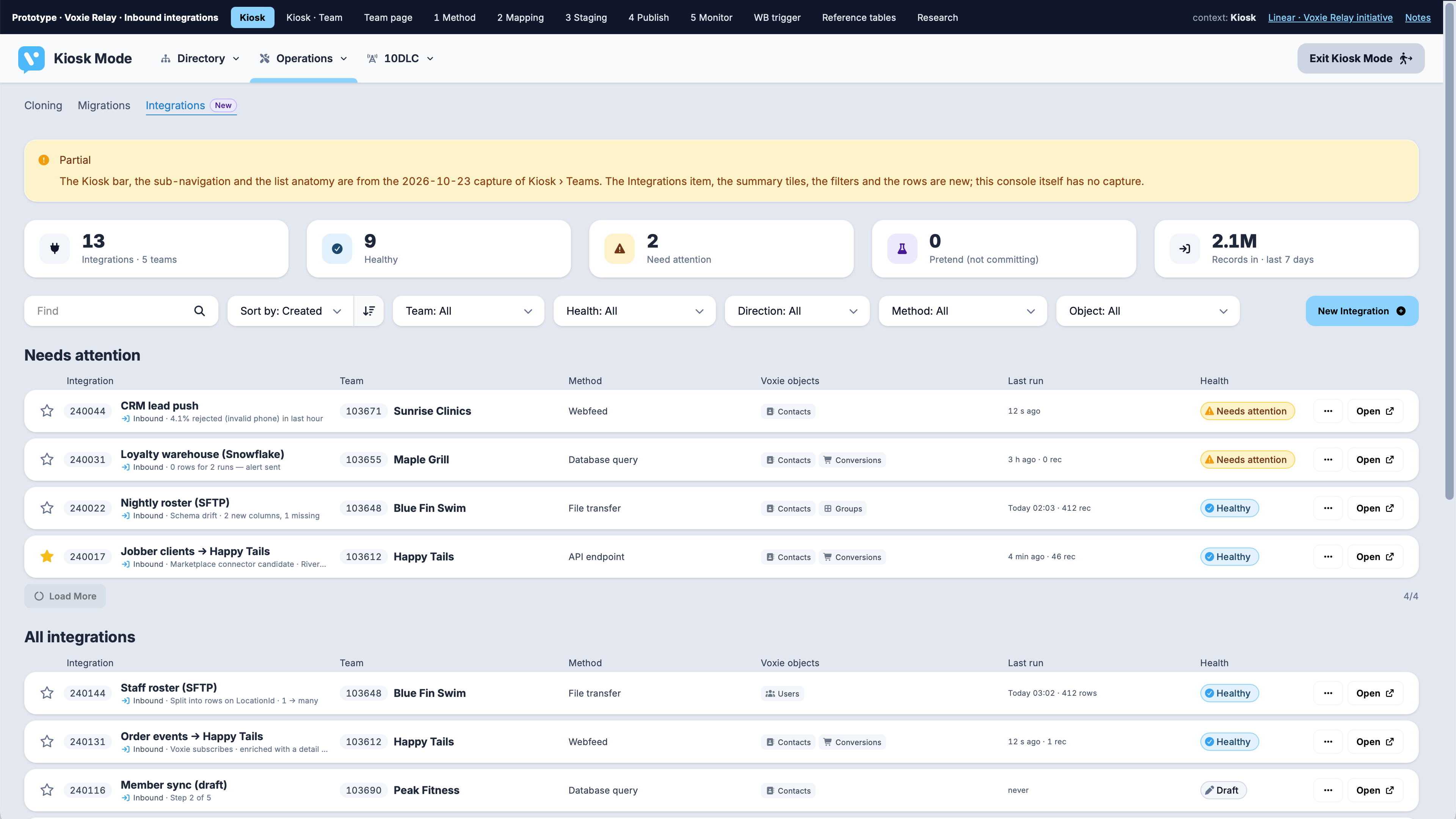
After:
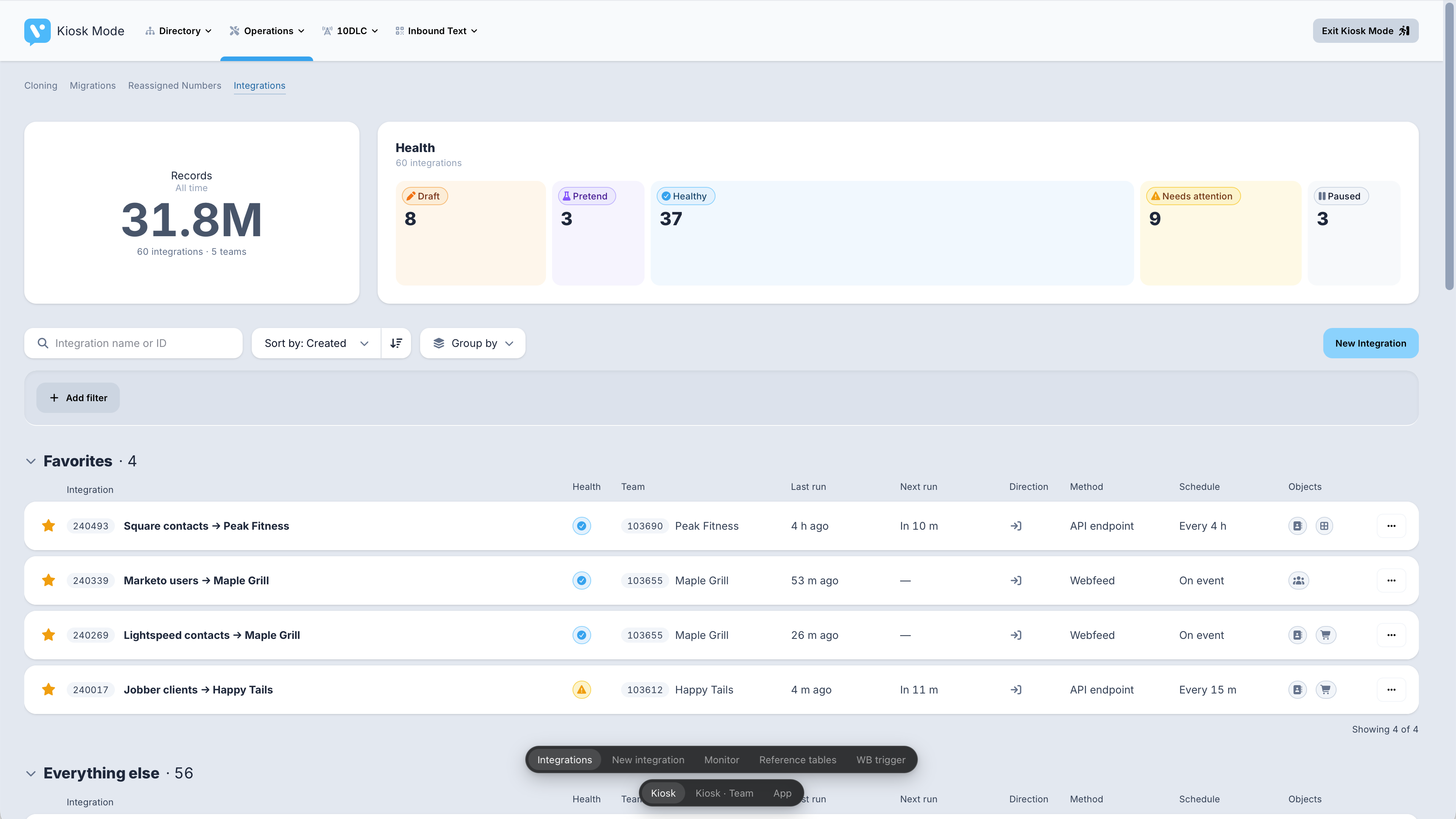
There are roughly a dozen key screens each with 3 contexts (kiosk, kiosk/team, team). Nearly half of these views have been cleaned up this sprint.
2. Rethink
The second set of work is to attempt to build interface that allows a novice, non-developer to interface with this system keeping the setup clear and progressively reveal necessary controls to help handle edge cases.
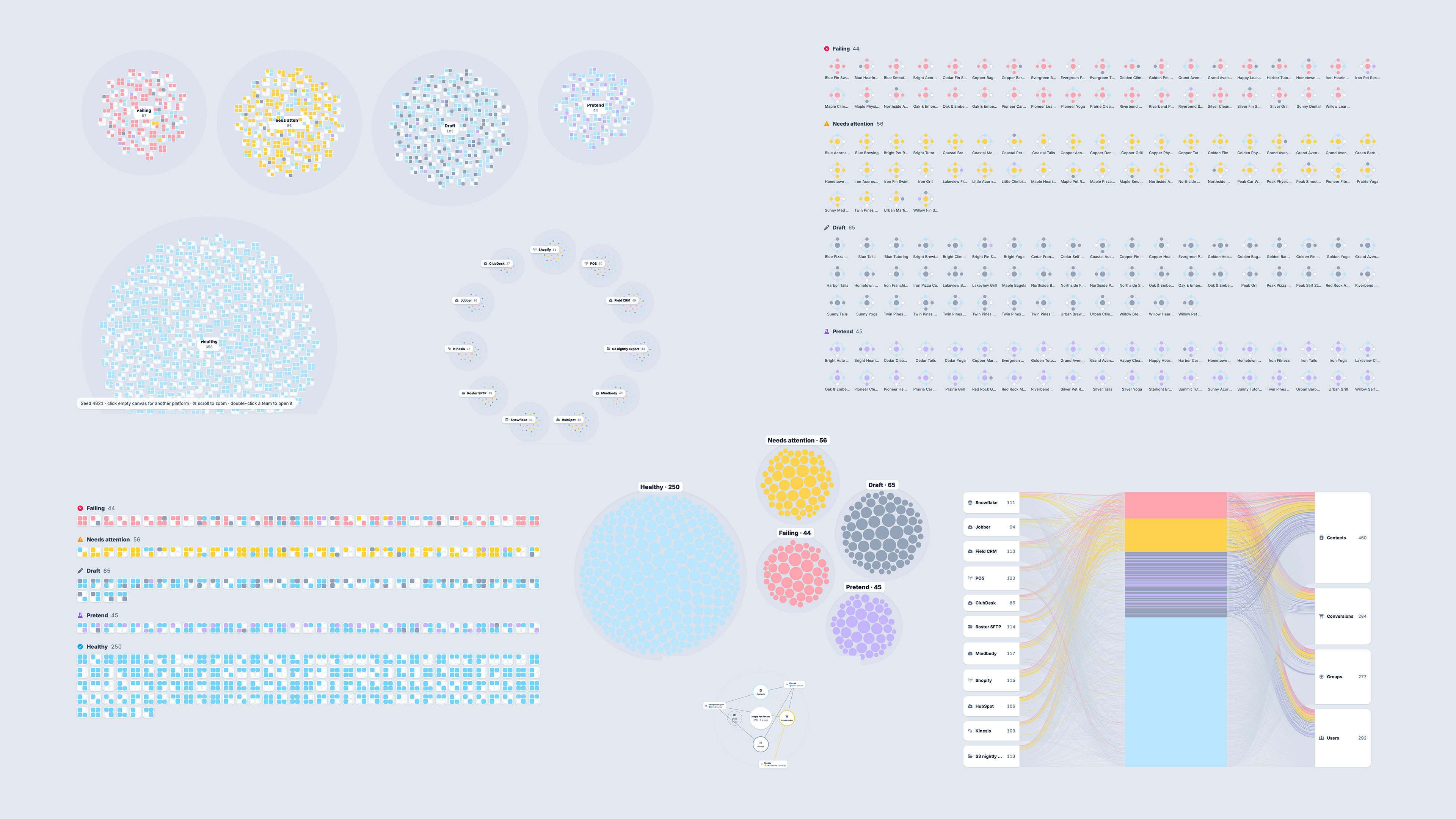
We explored lots of shape-based summaries of integration connection health, trying to find a balance between breadth and depth:
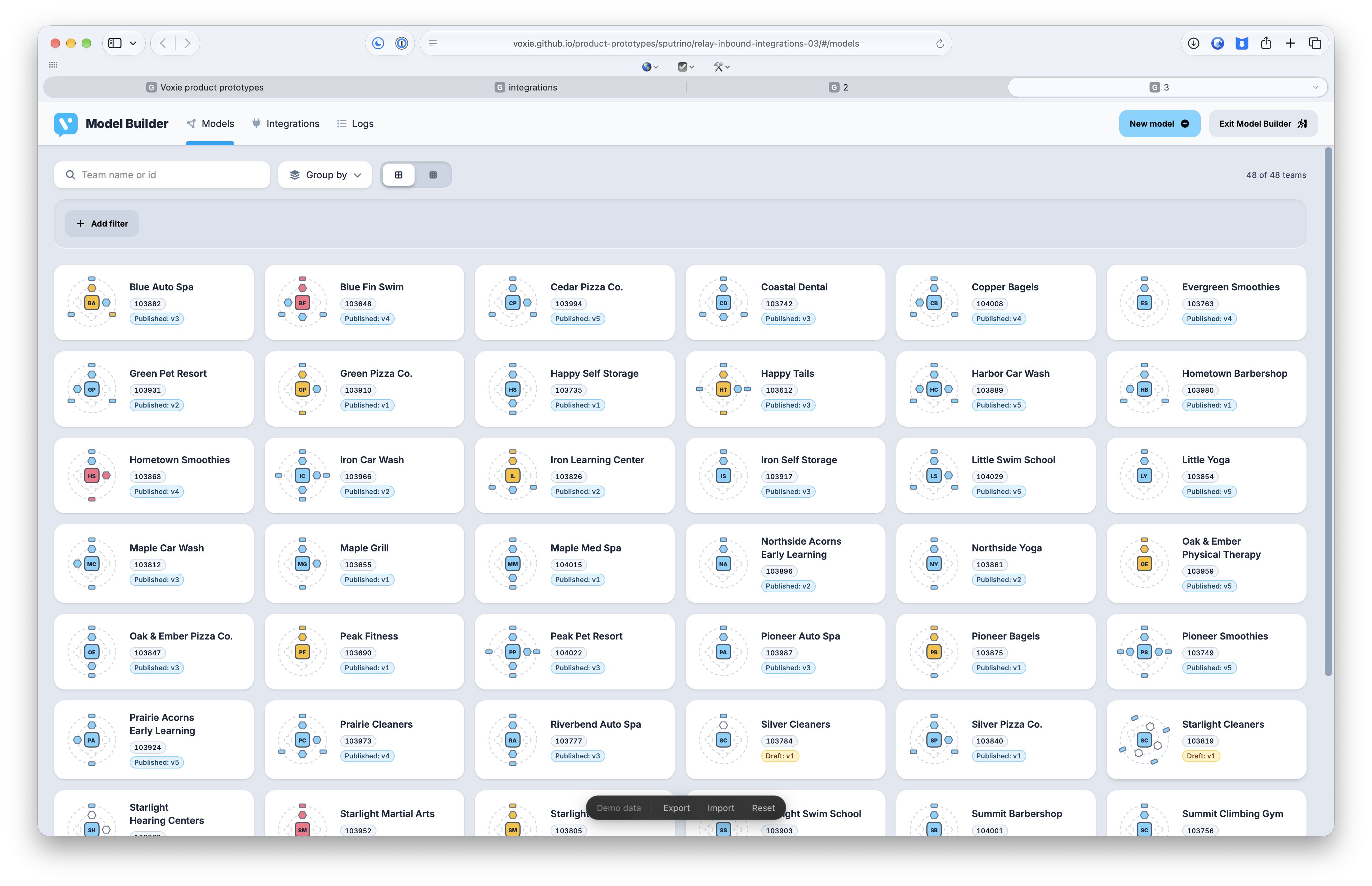
This concept allows for levels of intuition to be development like map, details are revealed the more you explore. The key concept here is to only show the details required to configure each step.
This method is meant to help non-technical people configure complex systems and monitor those connections across the system in a glance.
These two directions are being done in parallel to hopefully provide us the best options to scale Voxie in the future. More to come from both concepts soon!