Demo 260330
-
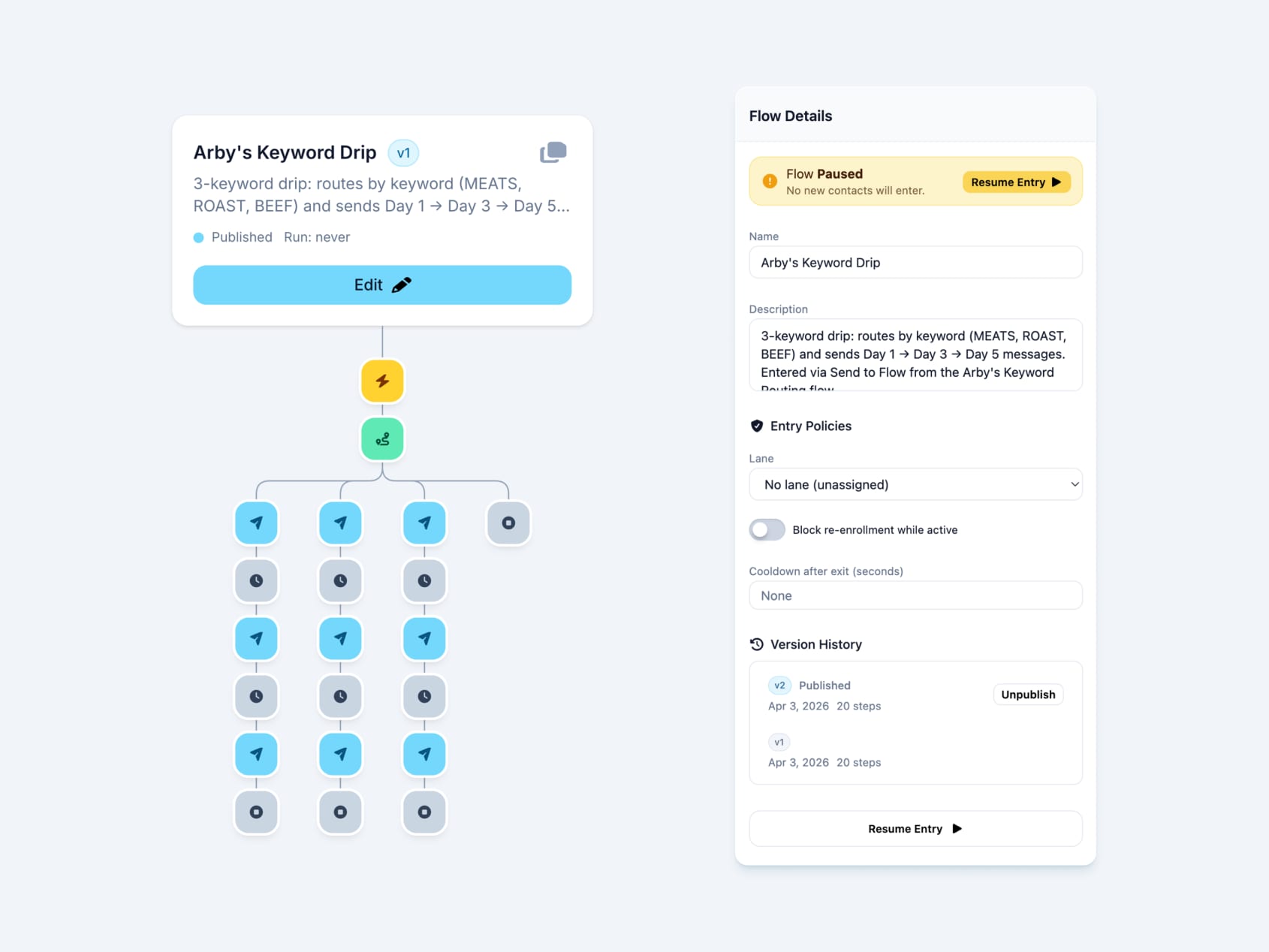
Workflow Builder Updates
What’s New
- canvas position gets tracked now so going back from flow editing lands you in the same spot you were before
- brings back missing un-publish and pause buttons. Adds them to the version history section
- mini flow
- click to deselect nodes
- add edit button to mini flow header card
- add scale effect to header card
- add support for command clicking flows to open in new tabs
- fix save bug on trigger node
- tidy up buttons and other ui
Prototype URL: https://proto-workflow-builder-mk1.vercel.app/
Kiosk Billing Refactor
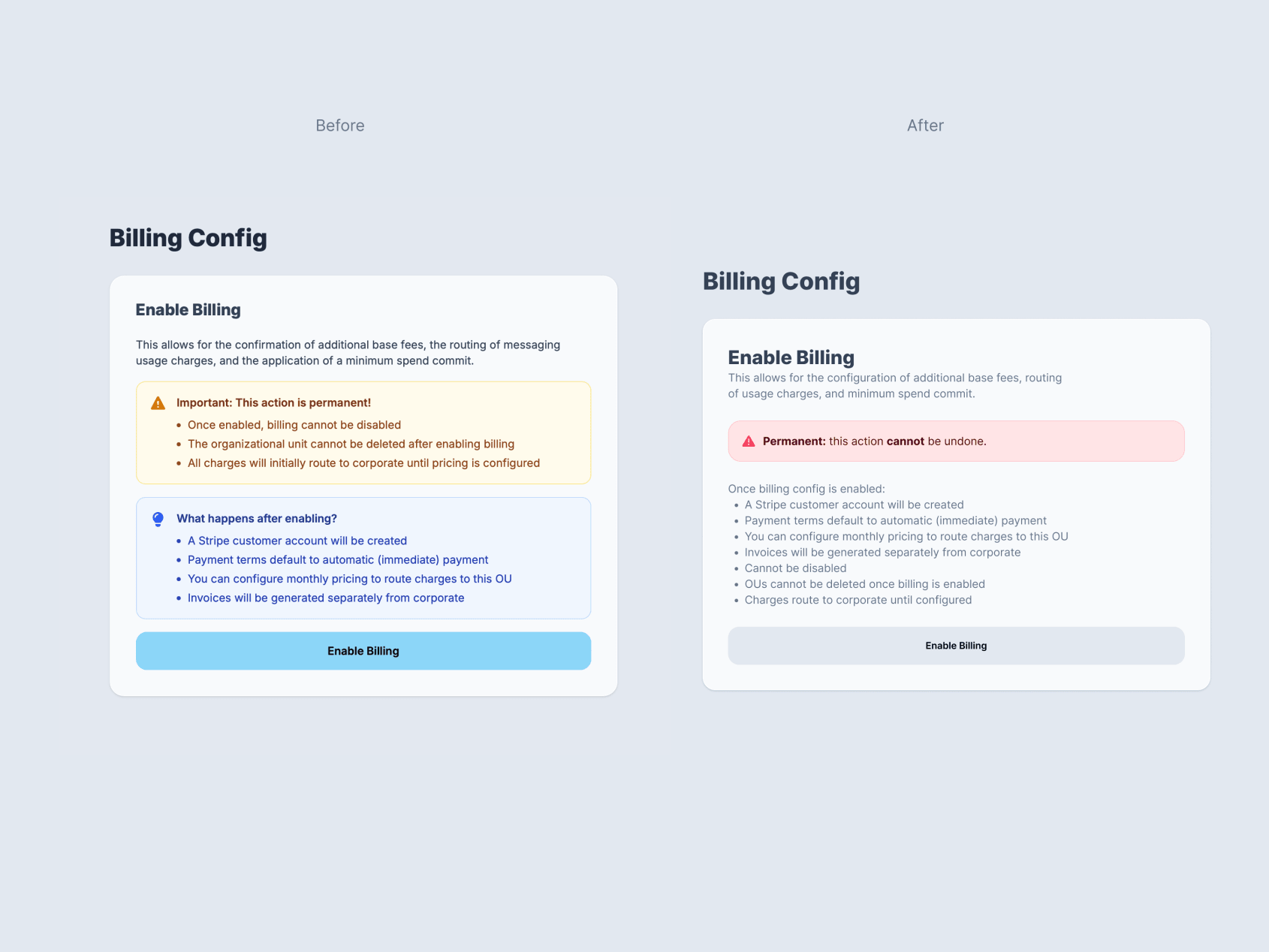
The billing configuration sections of Kiosk mode were not looking up to Voxie interface quality standards.
These layouts look to remedy these issues:
- incorrect colors
- misuse of callout/alert components
- overly complex view/edit interface
- inconsistent and random price display
0.25,$0.00000all should be$0.00 - divergence from our settings ux (update per card)
- better historical navigation and display

Mockups
Snippets
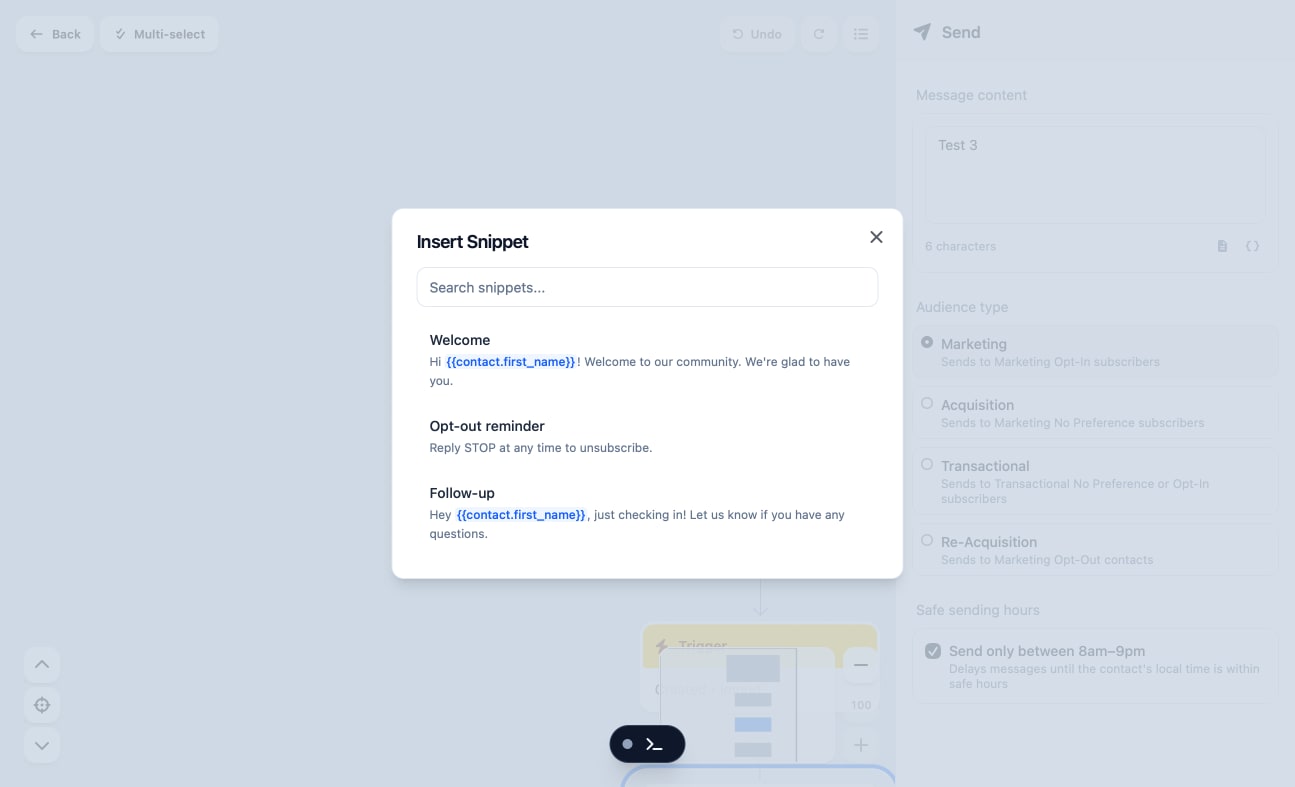
Prototype now has the ability to add and use Snippets, similar to the current Voxie production applications and its Message Builder components.
Flow Routing
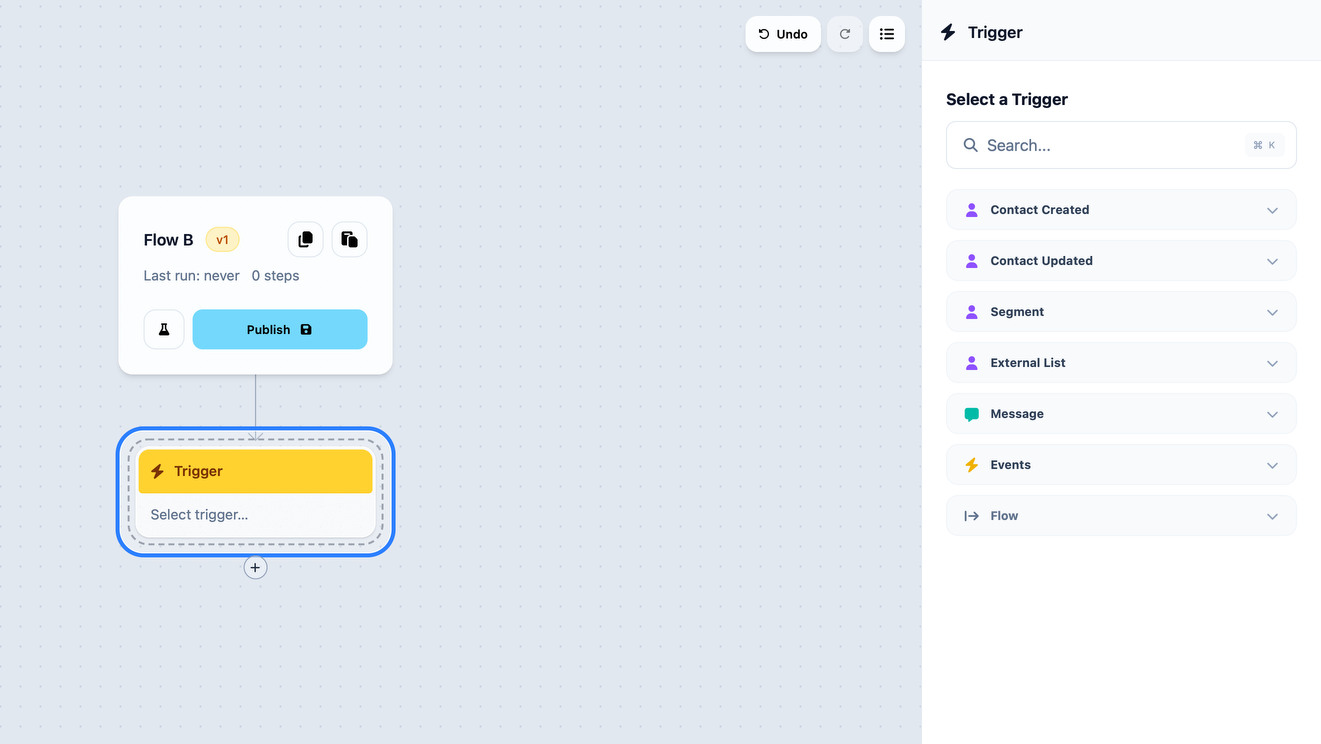
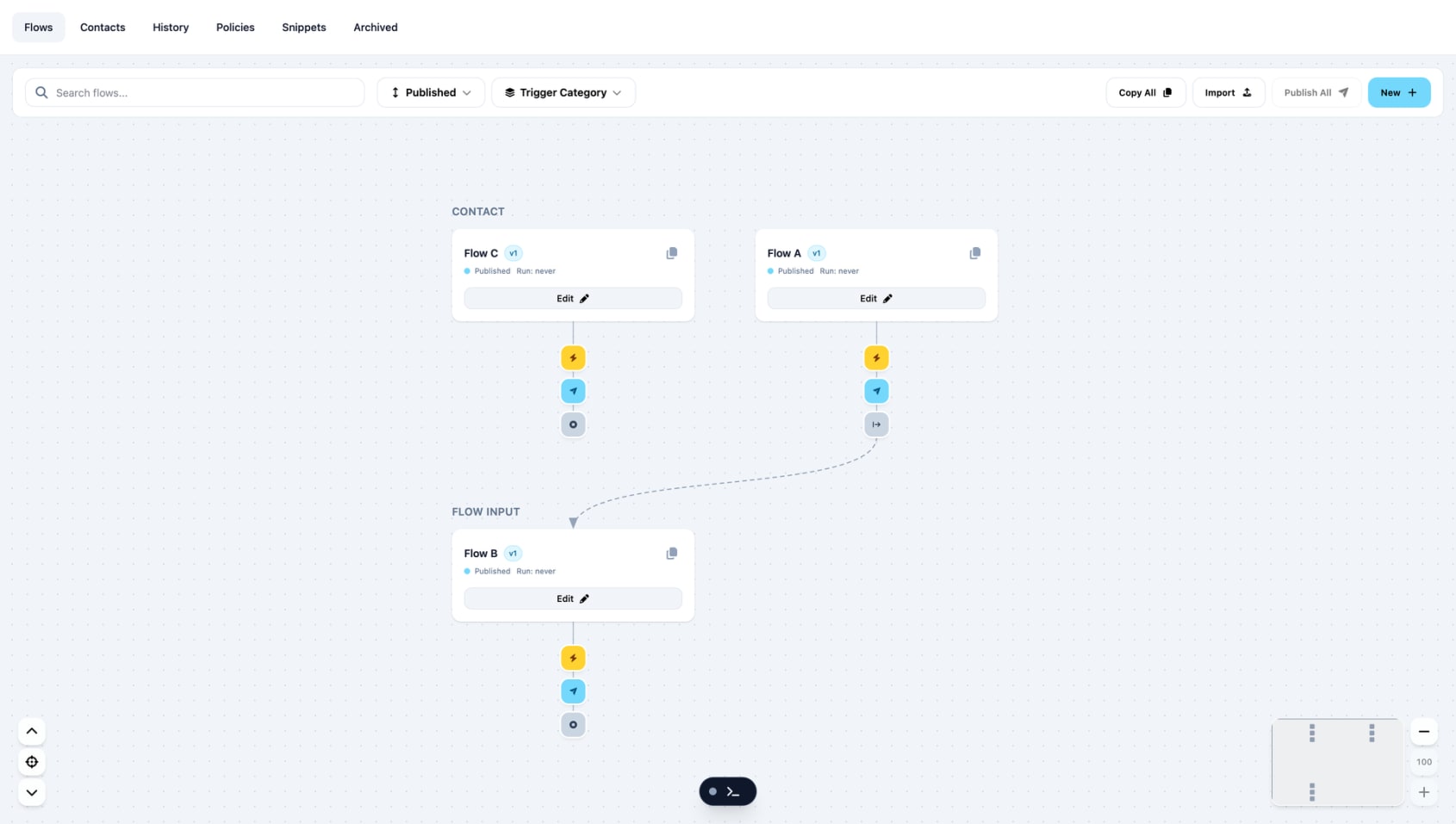
This is a refinement to the UX of Workflow Builder. Now, in order to connect 2 flows together, Flow A can only connect to Flow B if Flow B has the trigger set to Flow Input.
This limits what is technically possible, however in trade we get a system that is much easier to communicate and reason about. This also prevents users from making highly abstract connections between resources that could lead to unwanted side effects.
Bug Fixes & Refinements
Test mode
- Toggle-on-click
- More visibility to active-step indicator
- Shared-component UI
- Correct trigger-event-type mapping
- Test contact fields now match full contact data model
Logic Nodes
- Renamed
GatetoFilter - Fixed infinite loop on copy/paste bug
- Treat Filter as linear (clean delete, multi-select, branch path)
- CaseSensitive stored as boolean
- Contains_any/equals_any operators added to string fields
- Consolidated validation alerts
- Fixed ItemSelector height issue on selection
Canvas
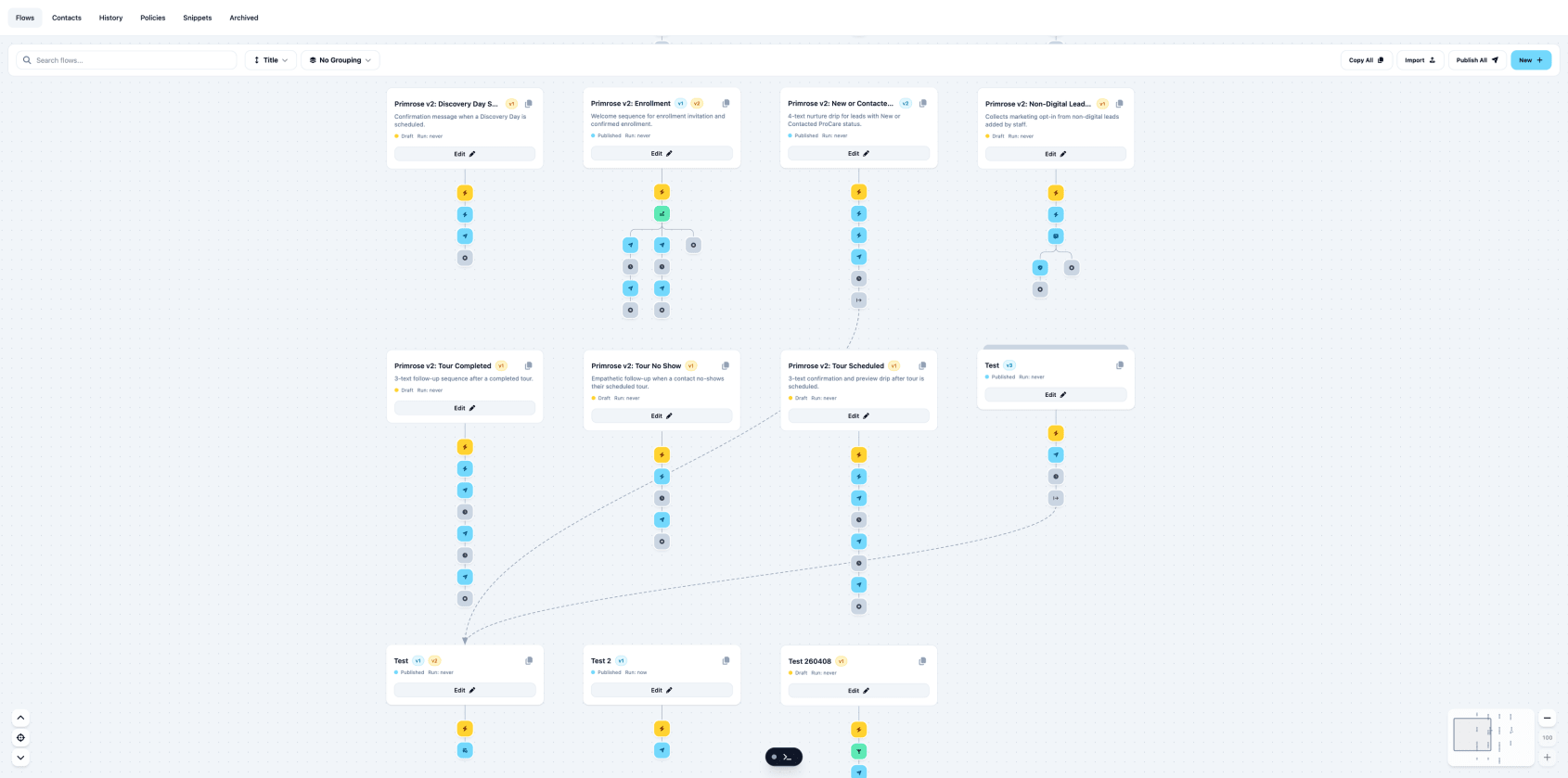
- Fix white-screen crash and missing flows when grouping by trigger
- Fix hover paste/cancel buttons on the edit canvas
- Show marching ants + validation alerts for all incomplete nodes (not just the selected one)
- Remove Segment / External List choices from the Update node
- Warn about branch deletions using trash-can iconography
- Add exists / does_not_exist operators for custom attributes
- Wrap node details instead of truncating
- Muted style buttons for flow card
- Restore canvas position after publish (matches existing back-button behavior)
Console
These are only relevant for this prototype but still needed some love.
- Console toolbar defaults to minimized
- Fix invisible close button on dark background
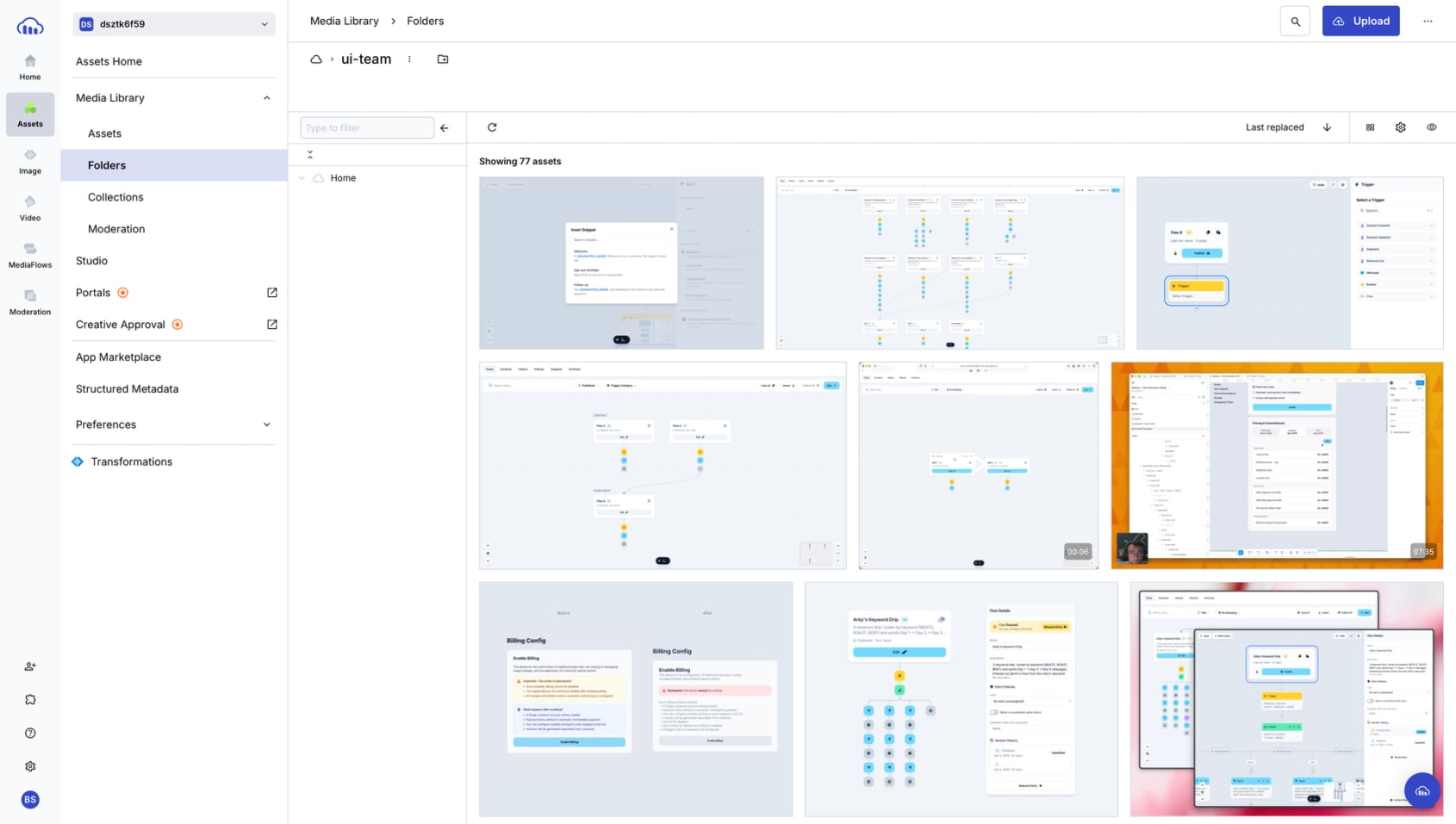
Cloudinary Upload Tool
This is a small quality of life update for us that shaves minutes of manual effort away each week.
For this demo site you are looking at, we host the image and video assets on the Voxie Cloudinary account. This used to require uploading those manually.
This is a small bit of AppleScript and 2 wrappers: Launchbar Script and macOS Service Workflow Script.
This lets us select an image or video on our Macs and in 1 action upload and get that URL copied to clipboard.
☹️ Old Method
- Open Cloudinary
- Log in
- Navigate to ui-team folder
- Drag or select image to that folder
- Refresh page
- Copy uploaded URL
- Paste to demo site code
😁 New Methods
Using Launchbar
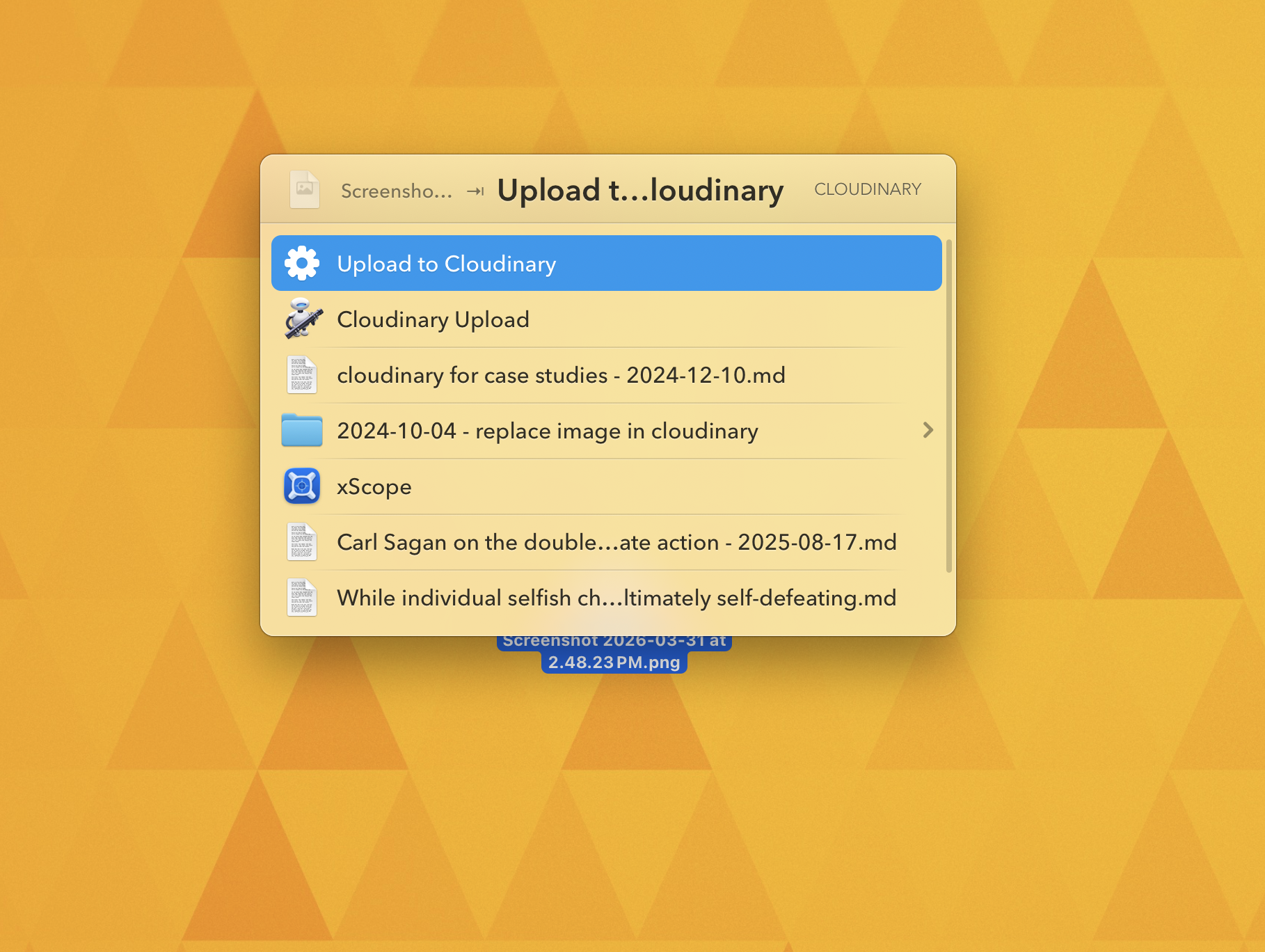
- Select image
- Activate Launchbar
- Choose
Cloudinary Upload - Paste URL to demo site
Using macOS Service
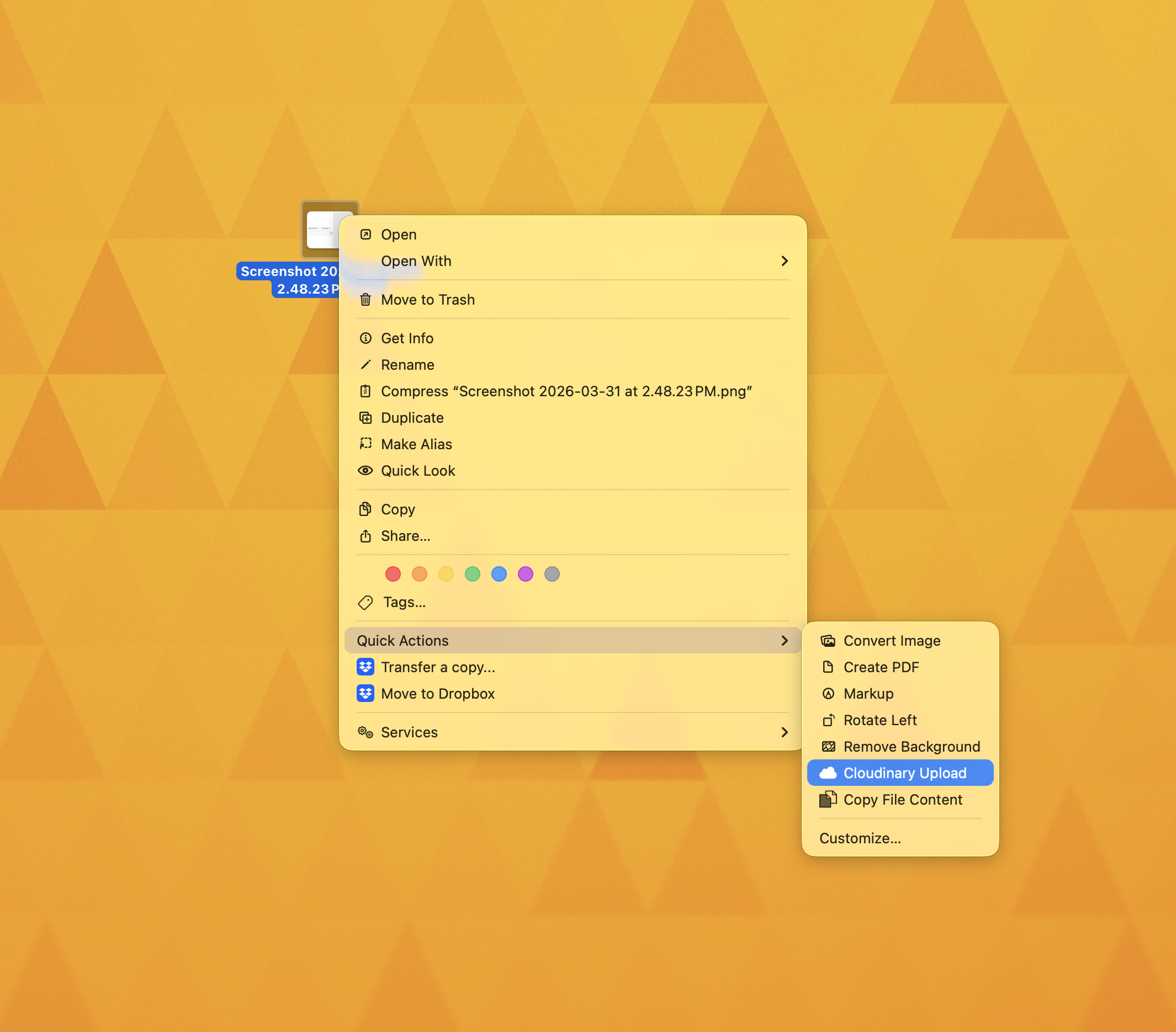
- Right click image
- Choose
Cloudinary Upload - Paste URL to demo site
Bonus feature is you can use it on many images at once. So for 5 images this can take ~35 steps and compress that to 3 steps, a 12x improvement.